


Privacy and security are a top priority in all social media platforms including Snapchat. Snapchat and other social media platforms are taking every measure to protect their user from cyberbullying and threats. One of those security and privacy measures on Snapchat is “My Eyes Only” feature.
“My Eyes Only” on Snapchat is a private locked folder only Snapchat users can access with a passcode. This feature helps the users to keep their snaps and stories private from falling into the wrong hands.
In this article, we will explain the “My Eyes Only” feature on Snapchat, and how to use it to enhance your Snapchat privacy.
Quick Answer
To use “My Eyes Only” on Snapchat, you will need to create a passcode that will be used to lock the folder. Once you have created a passcode, you can move your Snaps and Stories to My Eyes Only by selecting them and tapping the “Move to My Eyes Only” button.
When you want to view your Snaps and Stories in “My Eyes Only”, you will need to enter your passcode.
What is “My Eyes Only” on Snapchat
My Eyes Only is a Snapchat privacy feature that allows users to keep their most private snaps, and stories in their memories safe and secure from public view.
How does My Eyes Only work?
For social media users who want some extra privacy, “my eyes only” lets you keep your snaps and stories private by setting a passcode before you can access them.
Snaps and stories in “my eyes only” can only be accessed by entering the passcode you set.
How to use “My Eyes Only” on Snapchat
- Open the Snapchat app on your mobile device
- On the camera screen, swipe up to view the memories tab
- Under the memories menu tab, select My Eyes Only. Then, tap the Set Up button
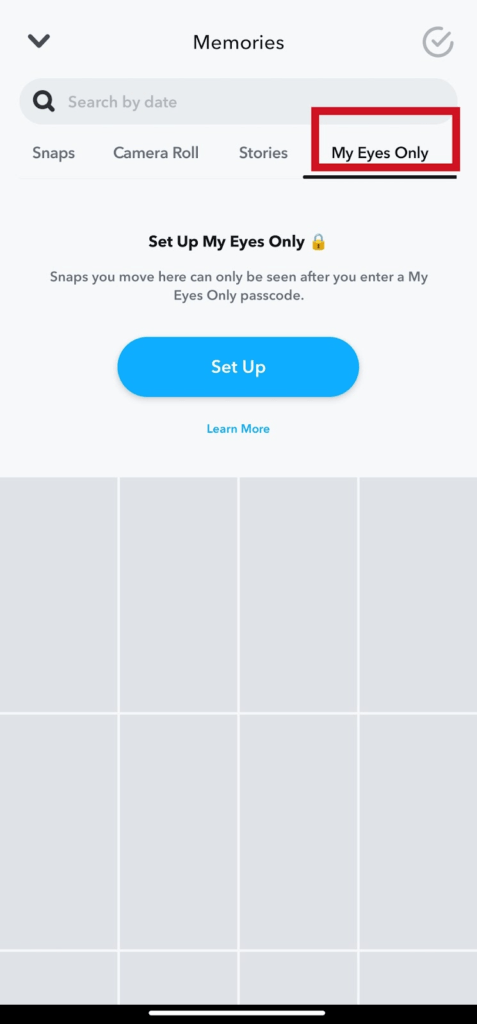
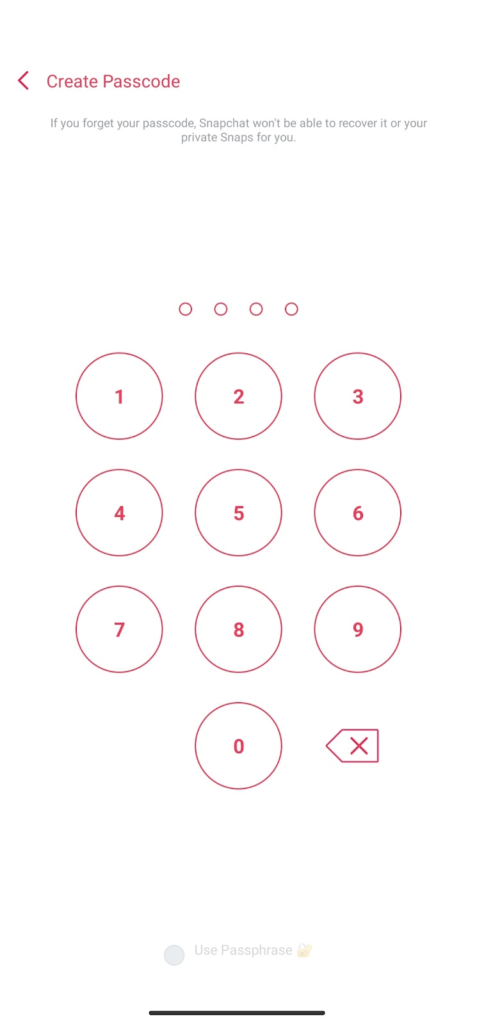
- Enter your 4 digits passcode and confirm the code. Tap the Continue, then, tap the Finish button to complete “My Eyes Only” setup.
- But if you don’t want to use the passcode, select Use Passphrase option at the bottom screen. Then tap Continue
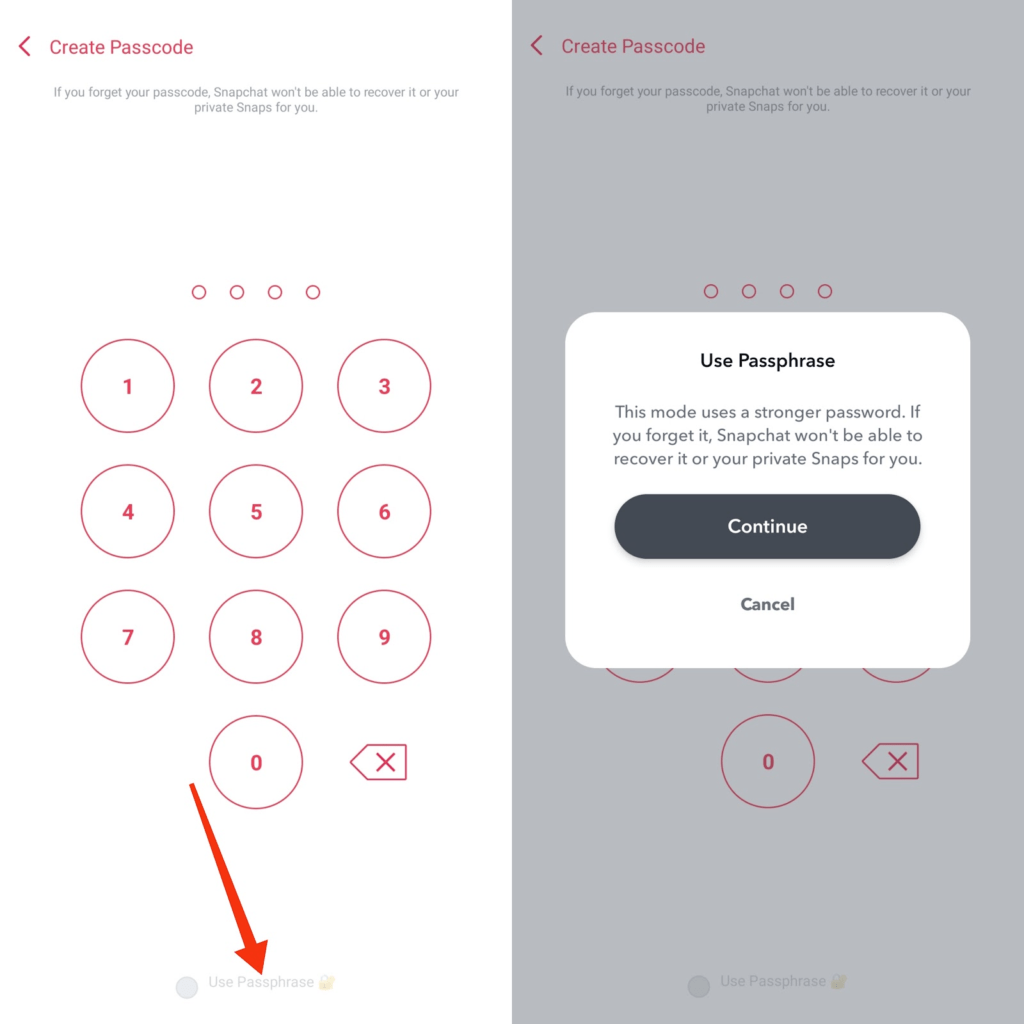
- To set your passphrase, your password must be 16 characters. Now, Create and confirm the passphrase. Tap the Continue, then Finish button to complete the setup.
I recommend you use the passcode setup. Yes, the passphrase option will set a much stronger password for you, but may also be easy to forget.
I forgot my “My Eyes Only” passcode
No, there are no ways around it. You will lose all your snaps if you forget “my eyes only” passcode. Even the Snapchat support team won’t be able to help you access your snaps in “my eyes only” if this issue happens.
So before your set “my eyes only” passcode, you must remember the code or have the passcode written down somewhere safe.
You can reset your passcode to a new one but you will lose everything in “My Eyes Only” folder.
How to Reset “My Eyes Only” forgotten passcode
- Tap “My Eyes Only” tab in the memories screen.
- Tap Options bottom right of the screen.
- Select Forget Passcode
- Enter your Snapchat Password. Tap next
Note: Snapchat password is different from “My Eyes Only” passcode. The Snapchat password is your login passkey for your Snapchat account.
- Tap Continue if you agree to the terms given to you.
- Create a new passcode and confirm.
Always make sure to remember your “My Eyes Only” passcode. You won’t be able to recover your private files when you reset the passcode.
Conclusion
My Eyes Only is a great way to keep your most private Snaps and Stories safe from prying eyes. With the “My Eyes Only” feature, rest assured your private files are secured from online security threats.
FURTHER READING
- What Does “Pin Conversation” Mean On Snapchat
- How To Move Snaps To “My Eyes Only” on Snapchat
- How To Turn Off Snapchat Location
