


If you are a Snapchat user that is concerned about the privacy of your Snaps and Stories, and wondering how to move them to the “My Eyes Only” feature.
“My Eyes Only” is a folder within Snapchat Memories that allows you to store and protect your snaps with an additional layer of security.
By moving your Snaps and Stories to “My Eyes Only,” you can rest assured that only you have access to them.
In this article, we will guide you through the step-by-step process of moving and unhiding your Snaps and Stories to “My Eyes Only” on Snapchat, enabling you to take control of your privacy settings and keep your content secure.
Quick Answer to Create “My Eyes Only” Passcode
To create “My Eyes Only,” passcode. Swipe Up from the camera screen to open Memories, then tap the “My Eyes Only” tab. You will need to enter and confirm your passcode. Tap the Continue, then Finish button to complete “My Eyes Only” setup.
How Does “My Eyes Only Work?
My Eyes Only are important for that who want additional privacy. You can use My Eyes Only to keep your snaps and stories in Snapchat memories private and secure.
My Eyes Only is a good feature if you want to protect your snaps but there are certain risks you must keep in mind. To access your snaps and stories in My Eyes Only, you need to set a passcode. If you forget the passcode, there are no ways for you to retrieve your snaps even if you reset the passcode.
How to Move Snaps and Stories to “My Eyes Only” on Snapchat
To move snaps and stories to “My Eyes Only,” simply follow these steps:
- Open the Snapchat app on your mobile device
- Swipe up on the camera screen to view Snapchat memories.
- Select the Snaps or Stories tab.
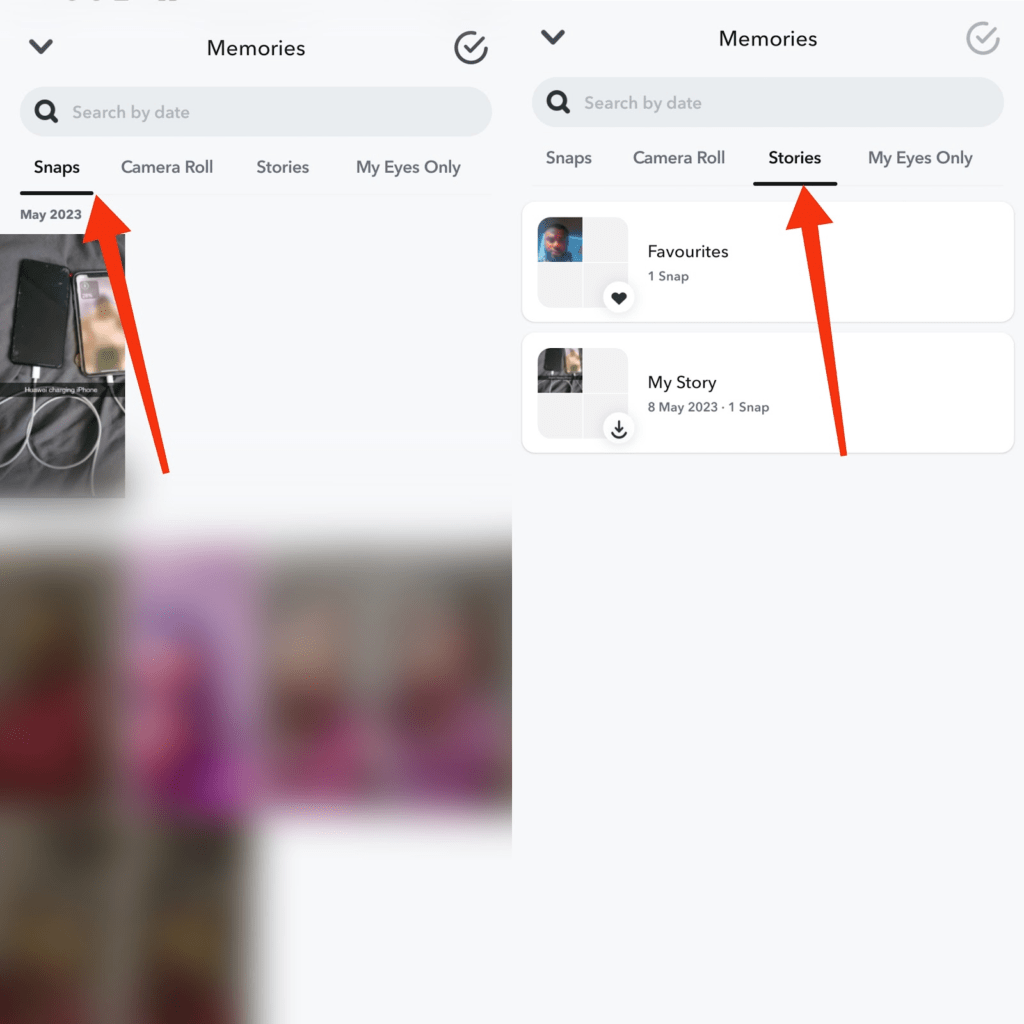
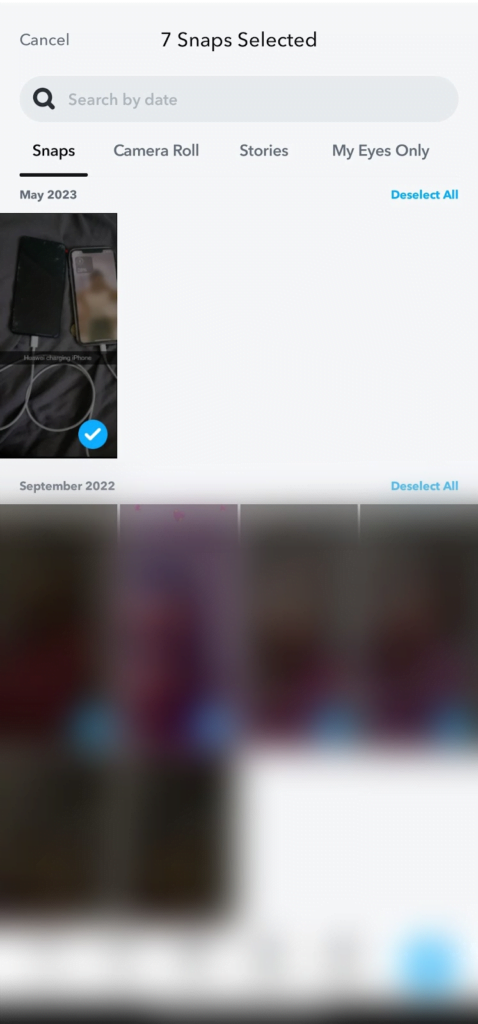
- Press and hold the snaps you want to hide. Then select all, or choose your pick if you want to hide some specific snaps. For the stories, tap the story, and select the snaps you want to hide.
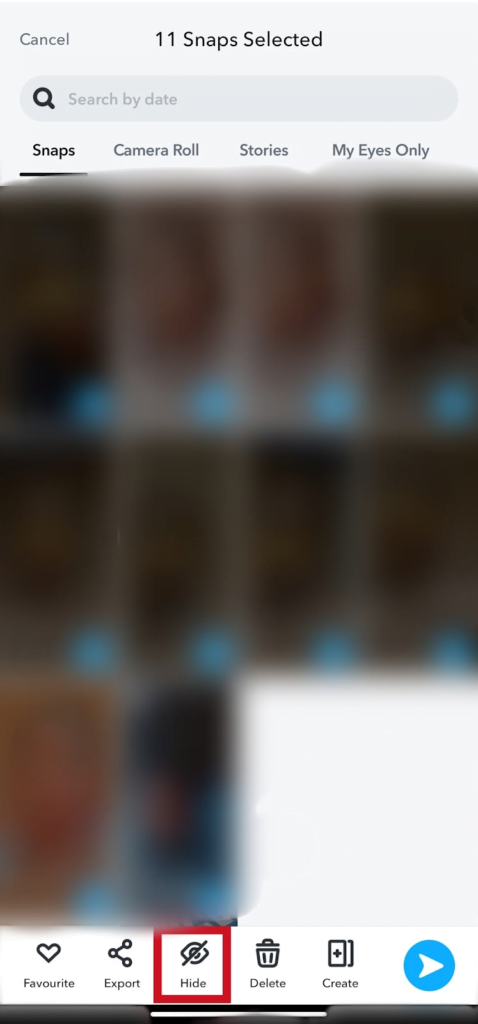
- Select Hide, with the eye icon
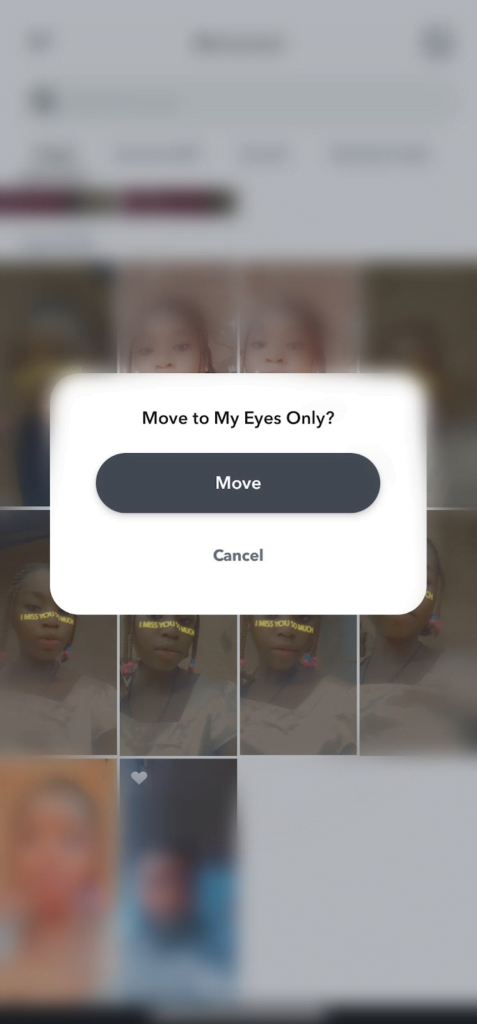
- Tap Move and all your selected snaps will be moved to “My Eyes Only”.
To view and access all your snaps and stories in “My Eyes Only”, you will need to enter “my eyes only” passcode you created
How to Remove Snaps and Stories from “My Eyes Only”
- Swipe up on the Snapchat camera screen. Select My Eyes Only tab. Enter Passcode.
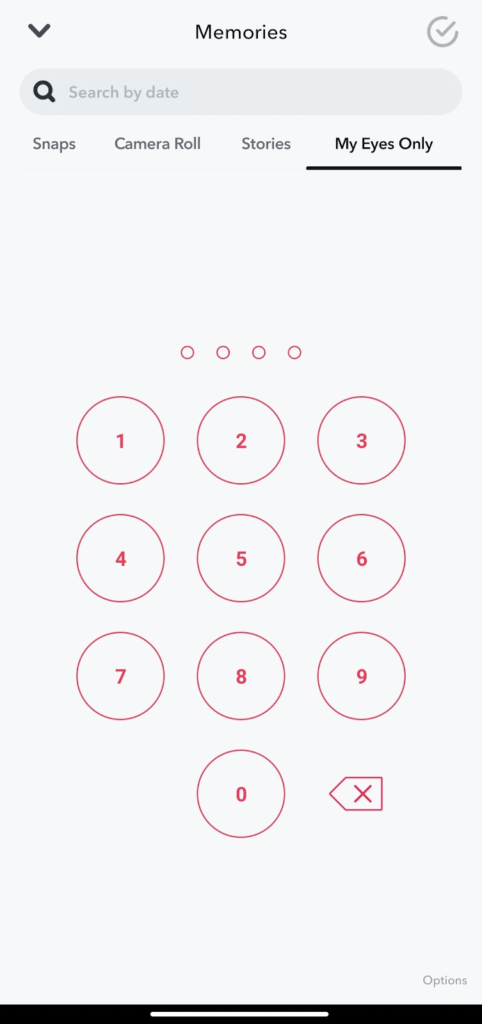
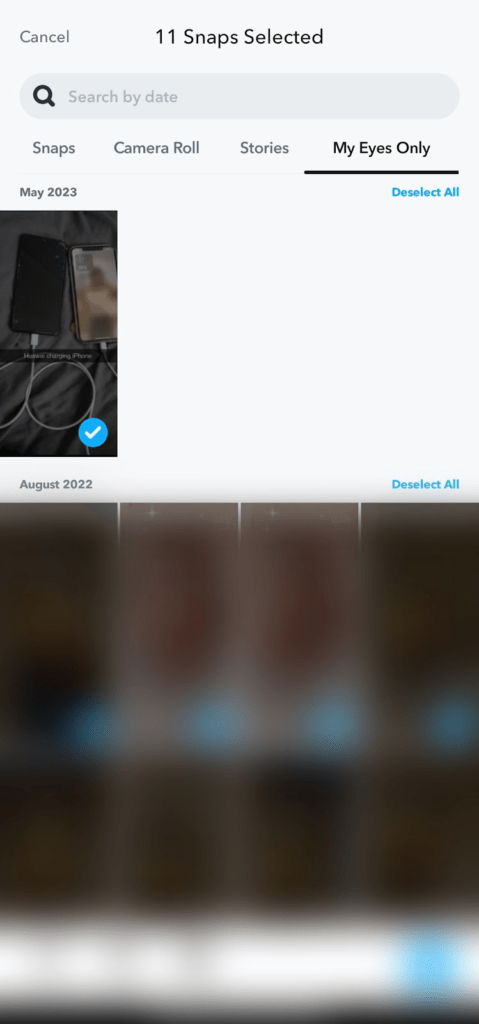
- Press and hold the snaps. Then Select All.
- Select Unhide to remove snaps from “my eyes only.
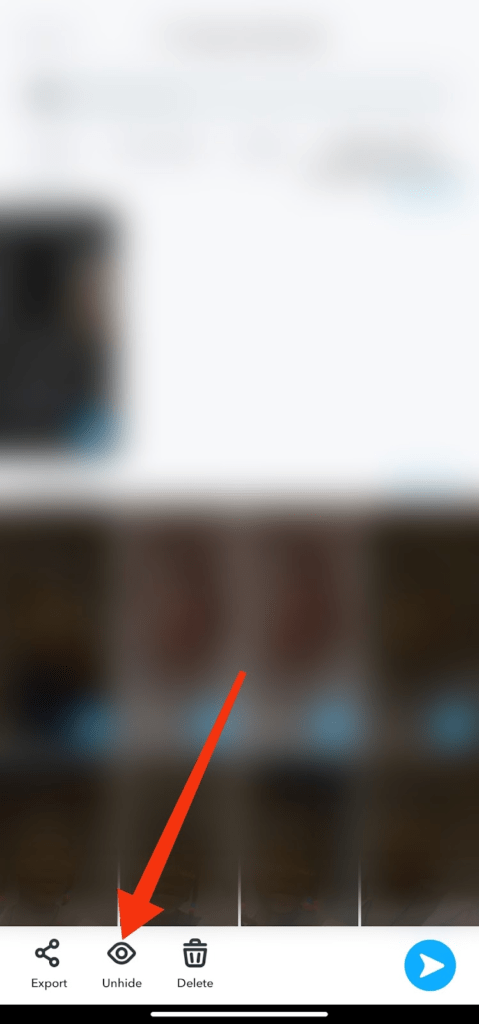
Removed snaps and stories in “my eyes only”, will be moved back to your snaps and stories tab.
Important: Make sure not to forget your “my eyes only” passcode. Because you won’t be able to restore your private snaps and stories. And the Snapchat support team won’t be able to help you. Even when you reset the forgotten passcode.
Make sure to have them saved, or write them down and keep them in a safe place. It’s always important to keep this in mind when creating “My Eyes Only” passcode or passphrase.
Conclusion
Hiding snaps and stories and moving them to “my eyes only” is a great way to keep your files private if you feel security threatened. You can also unhide your snaps at any time if you no longer want to keep them hidden.
Frequently Asked Questions
I Forgot My “My Eyes Only” Passcode
If you forget your passcode, there’s no way to recover hidden snaps and stories in “My Eyes Only” private folder. Snapchat support teams can’t as well help in recovering saved snaps in My Eyes Only.
How To Set Passcode For “My Eyes Only” on Snapchat
Open Snapchat »»» Swipe up »»» Memories »»» My Eyes Only »»» Set Passcode
FURTHER READING
- How To Use “My Eyes Only” On Snapchat
- What Does “Pin Conversation” Mean On Snapchat
- How To Turn Off Snapchat Location
