


You can get blocked for being a stalker on social media.
Snapchat is a popular social media platform that creates an avenue for users to share photos, videos, send messages and calls with friends.
Snapchat creates room to make new friends and connect with them. But sometimes that’s not always the case. You can block someone when they make you feel uncomfortable or unsafe on Snapchat.
In this article, we will show several ways you can use to block stalkers on Snapchat.
Quick Answer
There are several ways to block someone on Snapchat. You can block them from your profile, stories, search or chat screen. Whenever you feel unsafe or have privacy concerns about someone, you can always block them.
How To Block Someone On Snapchat
I personally have blocked many people who send inappropriate DMs and don’t know how to stop on Instagram and WhatsApp.
Block Someone From Chat Screen
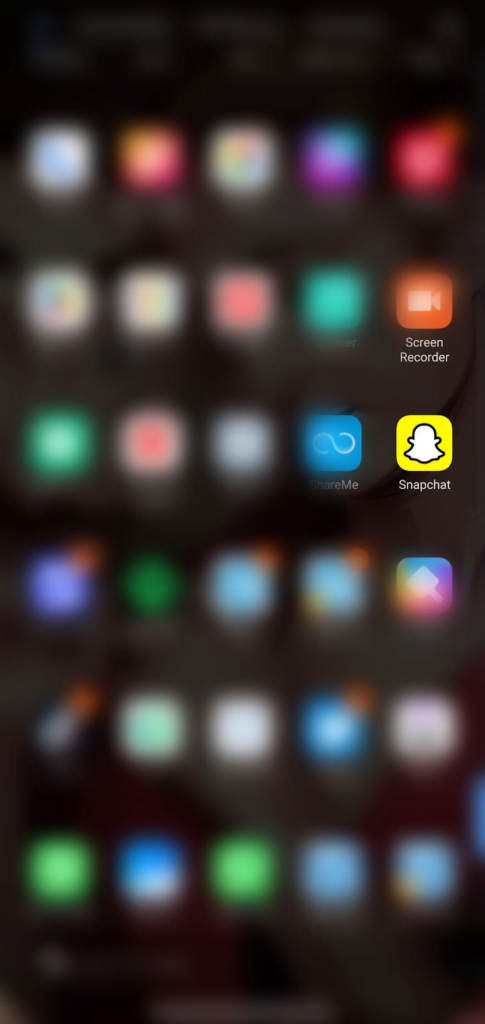
- Open Snapchat app
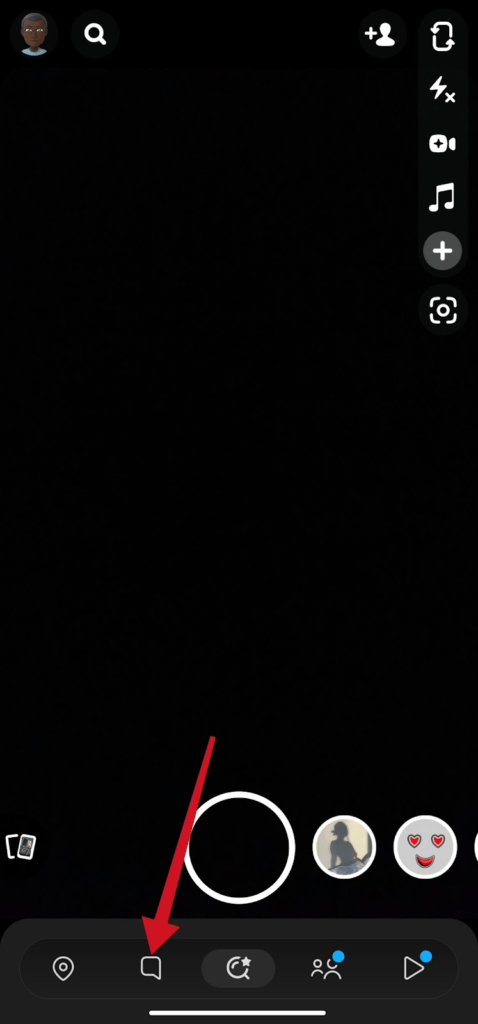
- On the camera screen, tap the message icon bottom of the screen.
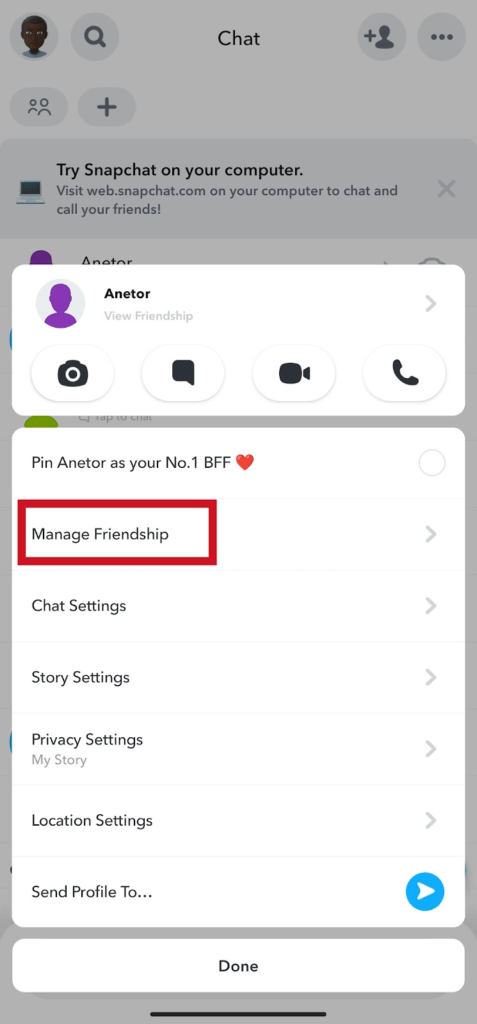
- On the chat screen, find the conversation with the person you want to block. Press hold the name of the person
- Select Manage Friendship on the popup menu
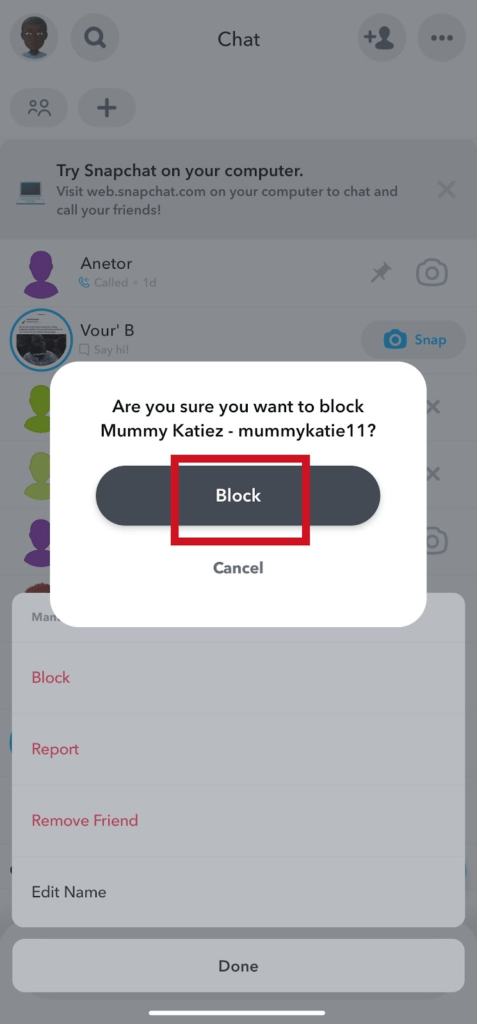
- Tap Block.
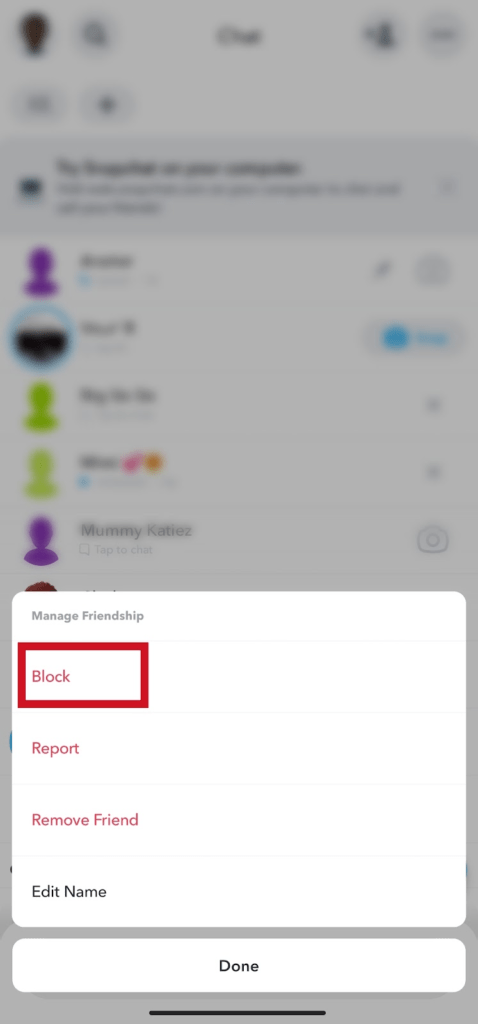
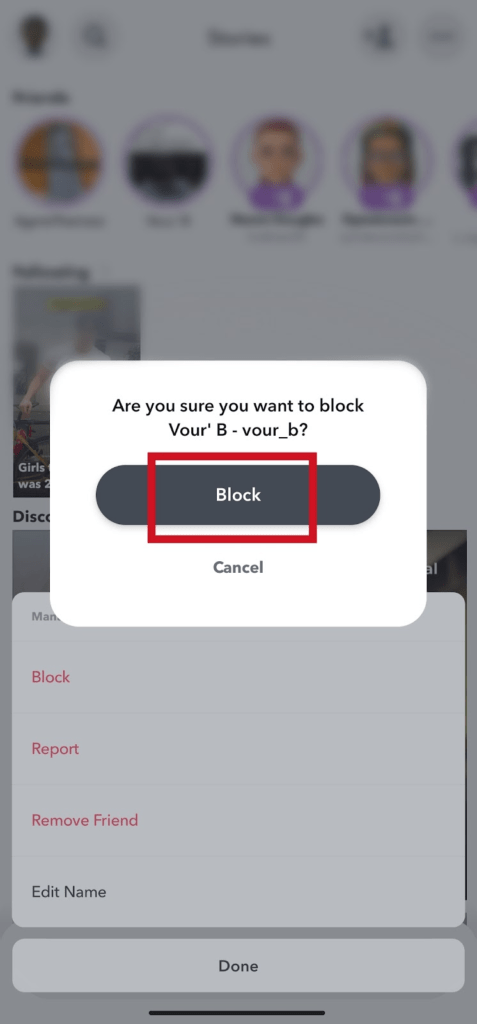
- Then confirm you want to block this person. Tap block again.
From Snapchat Stories
- Open the Snapchat app.
- Tap the friends icon bottom screen
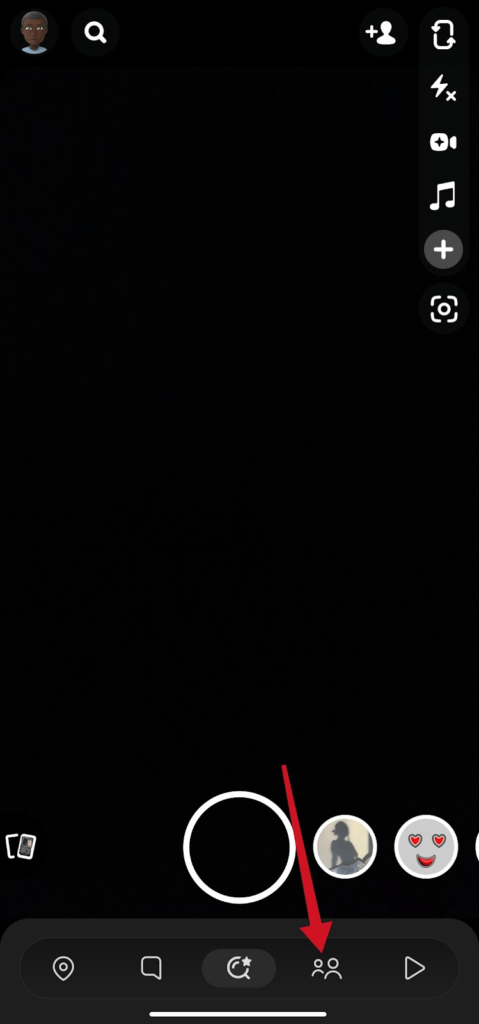
- Find the story with the person you want to block.
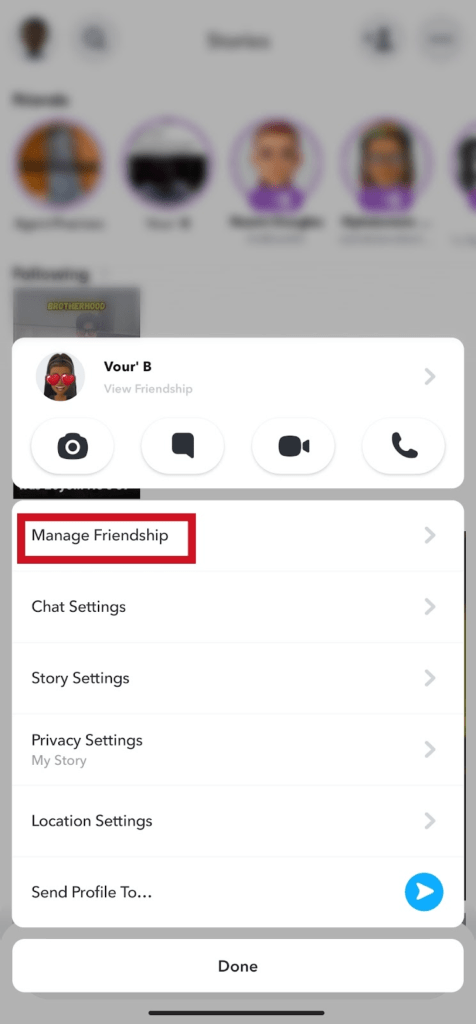
- Press and hold the story.
- Tap Manage friendship
- Tap on Block
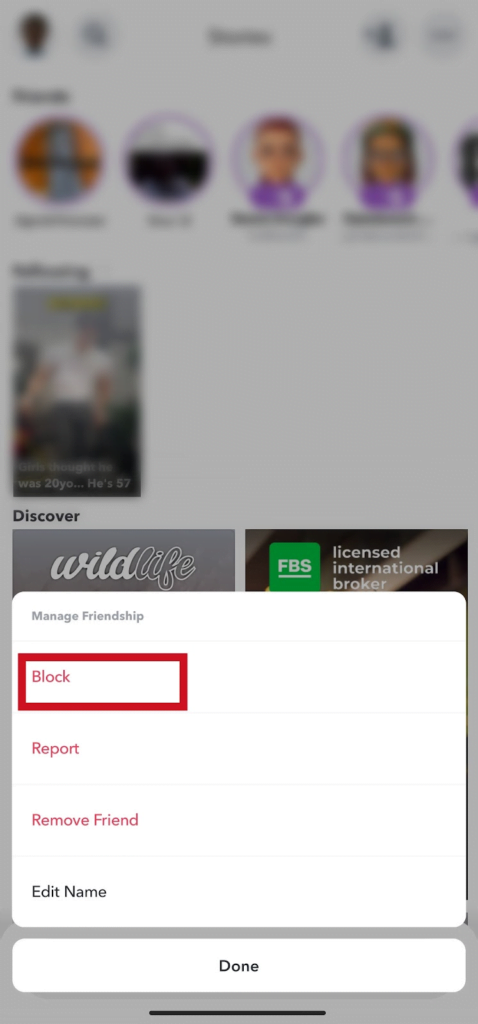
- Tap on Block again to confirm
Block From Your Profile
- Open the Snapchat app on your phone
- Tap your Bitmoji or the profile icon, at the top left corner of the screen
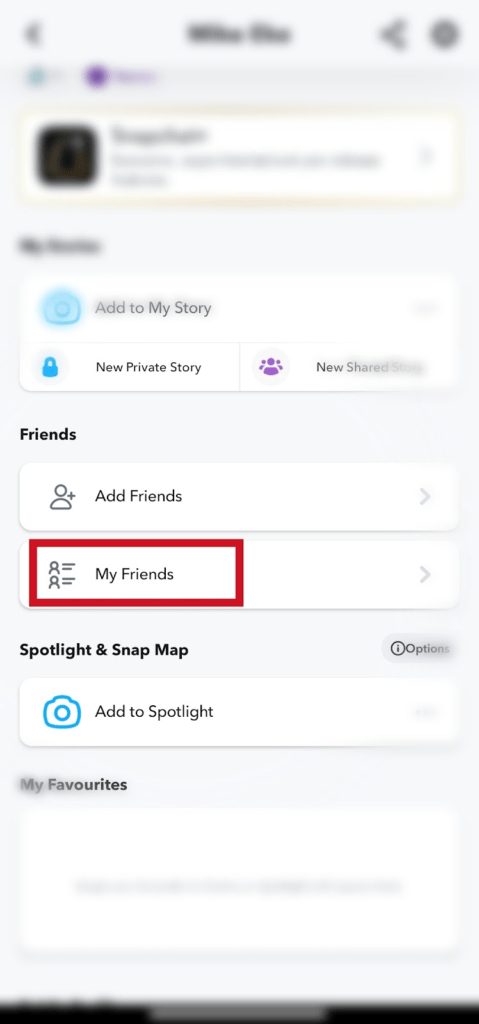
- On My Friends tab. Tap My Friends to view your friends list.
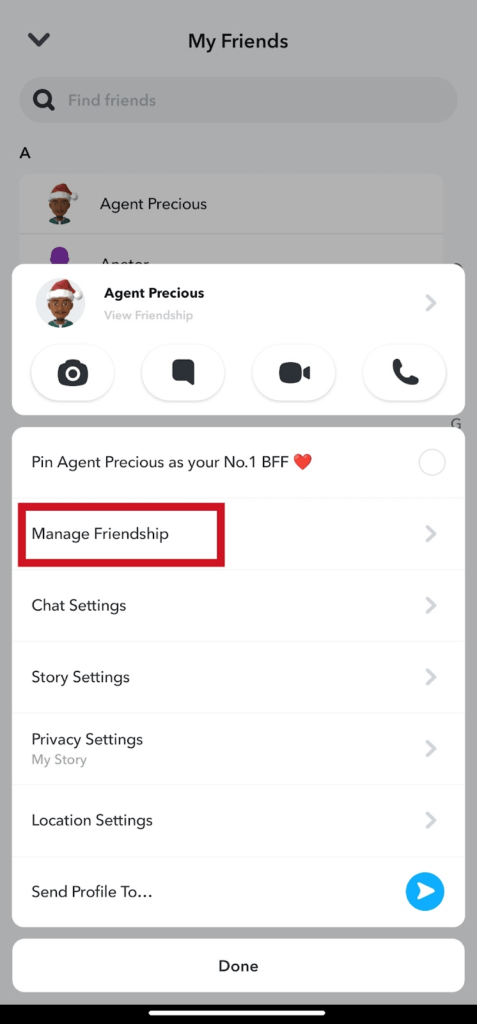
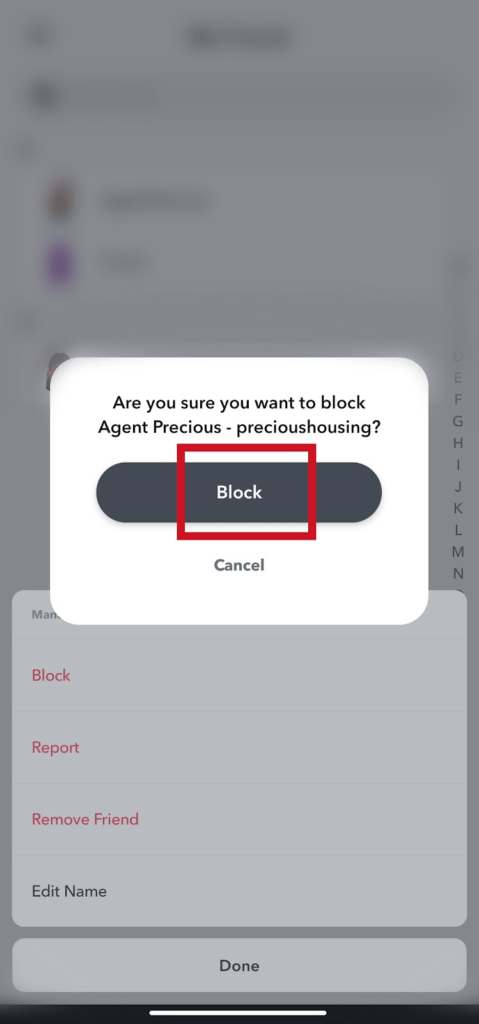
- Press and hold the name of the friend you want to block. Tap Manage friendship
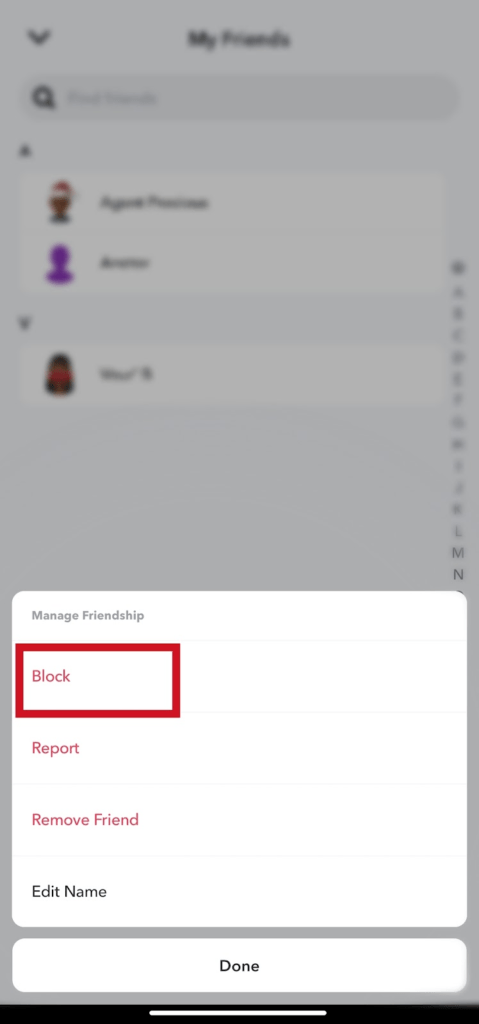
- Tap block.
- Tap Block to confirm you want to block this person.
Block From Search
- Open Snapchat app
- Tap the search bar icon top left corner of the screen
- Search for the username or the full name of the person you want to block.
- Hold and press the name
- Tap Manage friendship
- Tap block. And confirm again to block the user.
How To See Who You Blocked On Snapchat
- Open Snapchat
- Tap your Bitmoji or profile top left corner of the screen
- Tap Settings top right corner of your profile dashboard
- Scroll down to Account actions.
- Tap Blocked to see the list of friends you have blocked on Snapchat.
What Happens When I Block Someone On Snapchat?
Once you have blocked someone, they will no longer be able to see your story, send you snaps, or messages, or add you as a friend. Their names will be removed from the chat screen.
Frequently Asked Questions
How Do I Block Someone On Snapchat?
Open Snapchat app »»» Conversations »»» Manage friendship »»» Block.
How Many People Can I Have Blocked On My Snapchat At The Same Time?
There’s no maximum limit as to who you can block on Snapchat. You can block anyone at any given time.
Someone I Don’t Know Friended Me On Snapchat. How Can I Get Rid Of Them?
You could remove them as friends. Block or report them when they’re not being too nice. Do not trust anyone so much as to share sensitive information about yourself with them on Snapchat.
You could get hurt if things go wrong. Beware of who you trust.
What is the Do Not Disturb option on Snapchat?
You could turn on do not disturb if you don’t want Snapchat calls, messages and snaps. This can be a preferred option instead of blocking or removing them as friends.
