


If you frequently use Instagram, then you must have tons of daily recent searches on the app.
Instagram is one of the biggest platforms used for sharing high quality photos and videos with your friends.
As a frequent user on Instagram, you should know by now that Instagram keeps record of your activities, including search history on the app.
However, if you don’t want people to know about your recent searches. In this article you will learn how to clear recent searches on Instagram.
How Clear Recent Searches on Instagram
Your recent searches is a list of all your search history on Instagram. You might choose to clear your Instagram search history for some privacy reasons if you don’t want people to see your search history when they use your phone.
You also need to clear your search history to avoid your search section looking retard and unorganized.
Also Read: How To Fix Missing Instagram Notes
Here’s how to clear your search history on Instagram;
Method 1 Of 2:
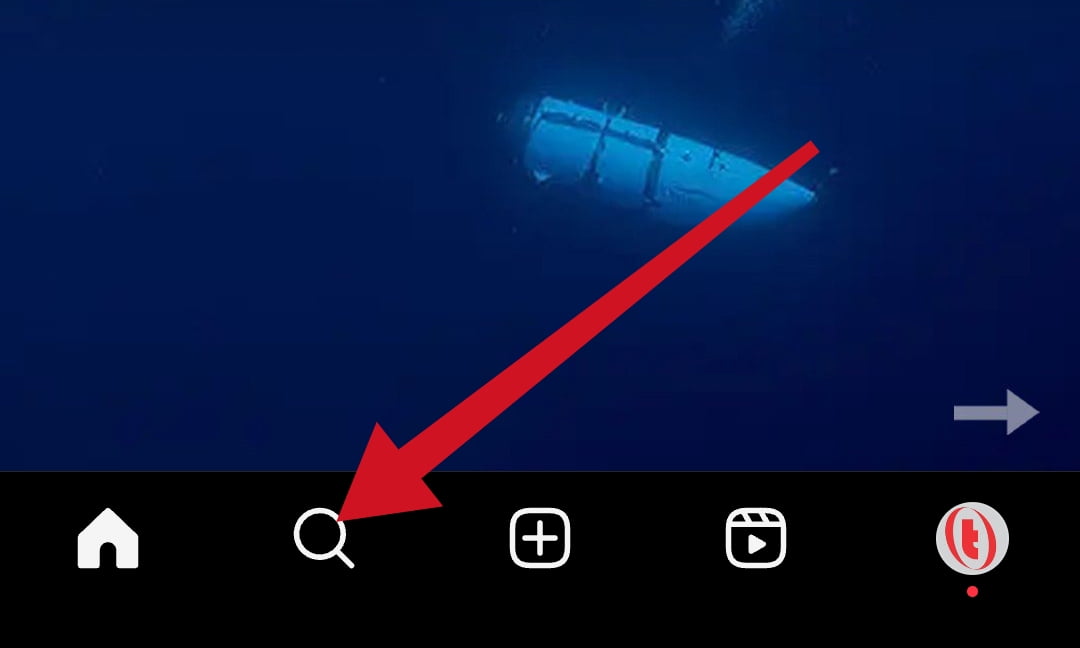
- Open the Instagram app on your mobile device. And tap the search bar icon on your Instagram feed to view the search section.
- Tap the second search bar on the search section to view your recent searches.
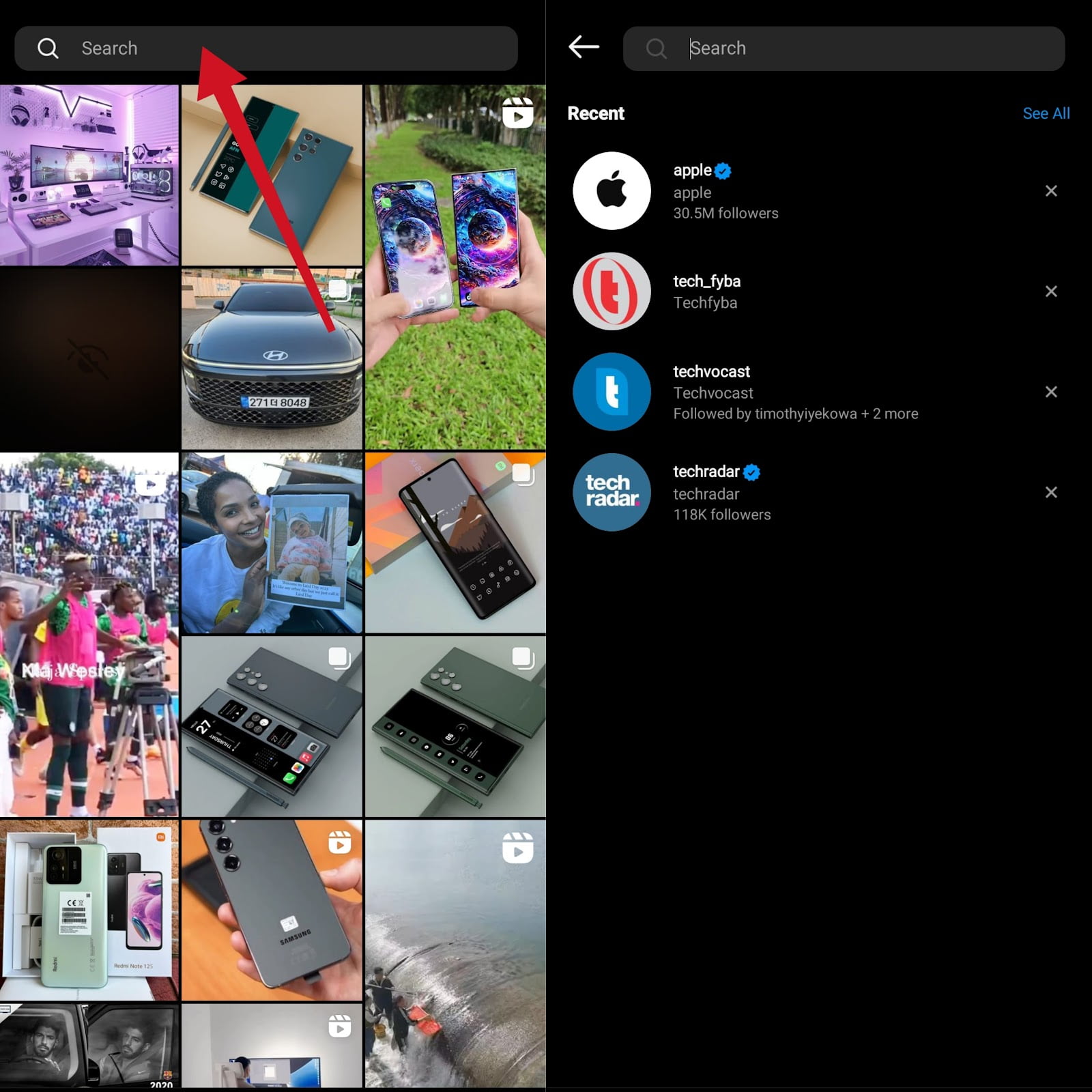
- Tap the X icon to clear your recent searches individually. To clear all search history at once, tap See All.

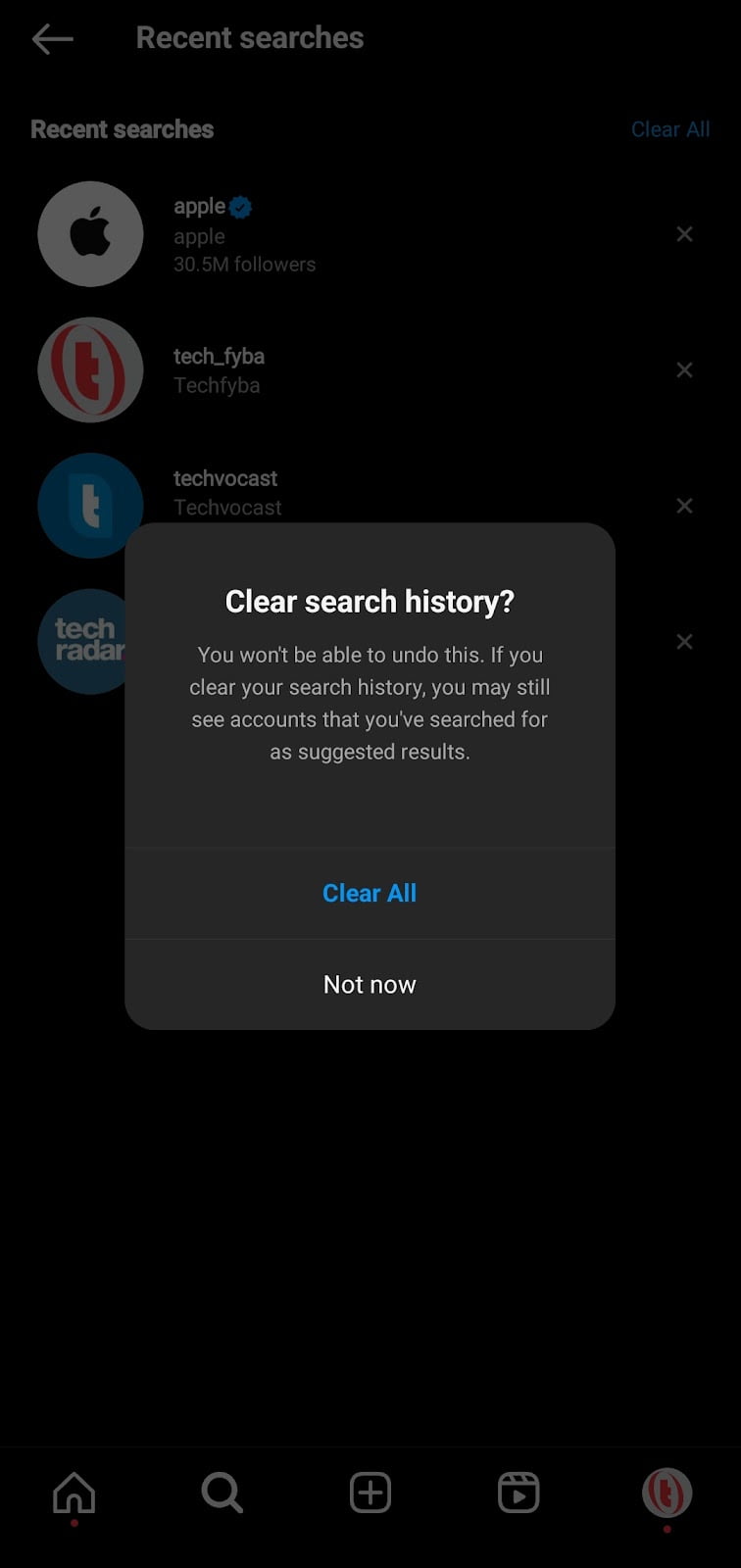
- Tap Clear All

- Confirm you want to clear your search history. And tap Clear All again to delete all your search history on Instagram.
Method 2 Of 2
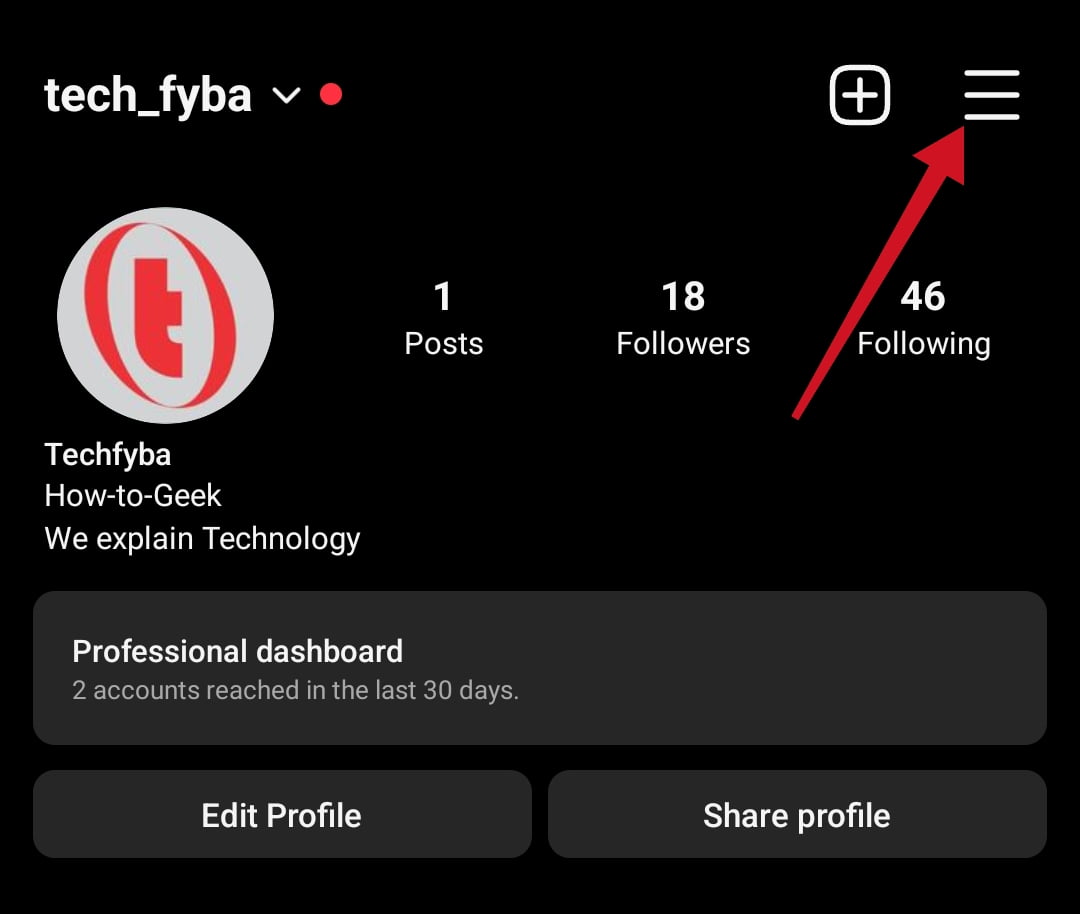
- Open Instagram app and tap your profile picture to the profile dashboard.

- Tap More Options (the three horizontal lines) at the top right corner of the screen.
- Tap Your Activity.
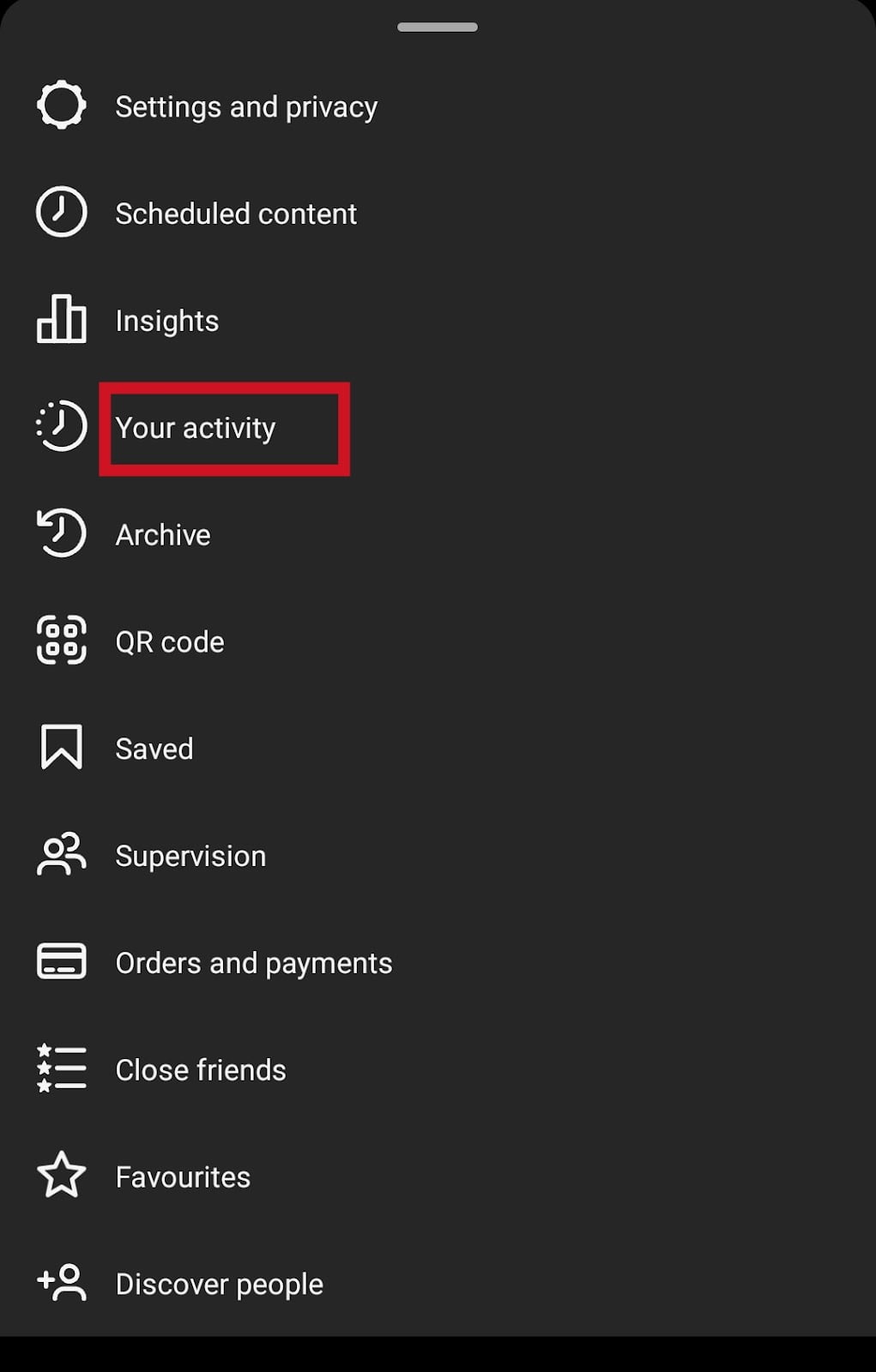
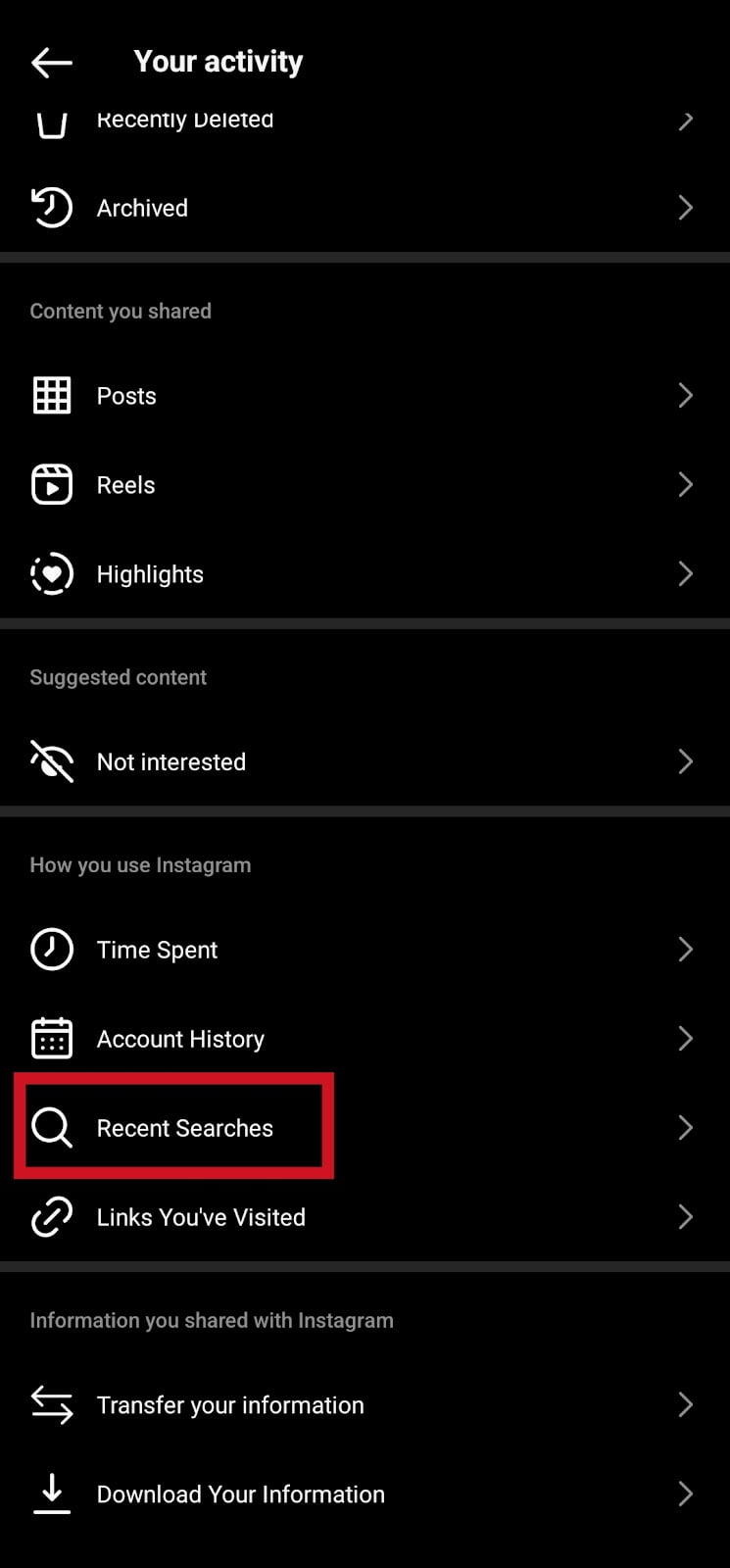
- Scroll down and tap Recent Searches to view your search history.
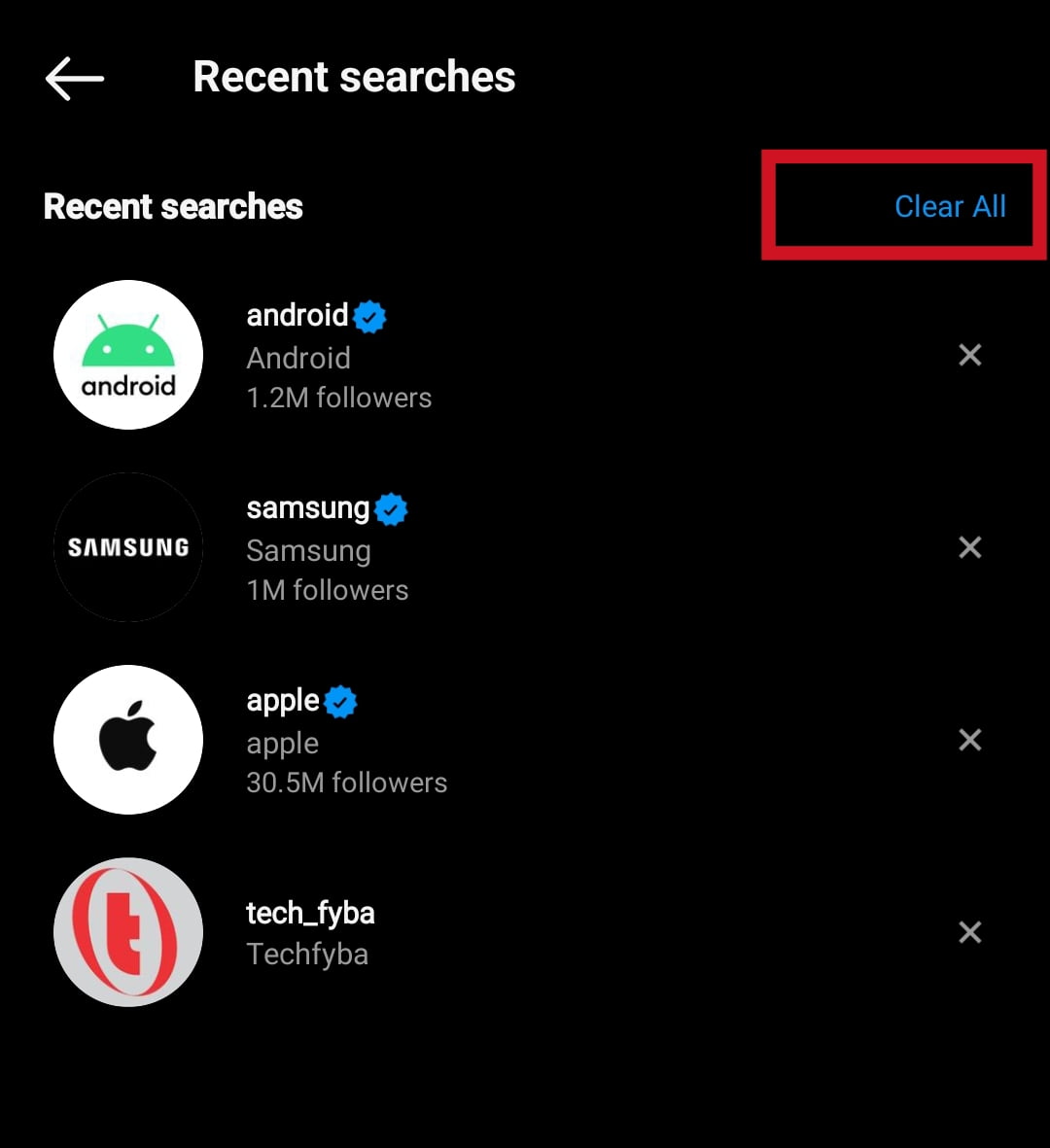
- Tap Clear All.
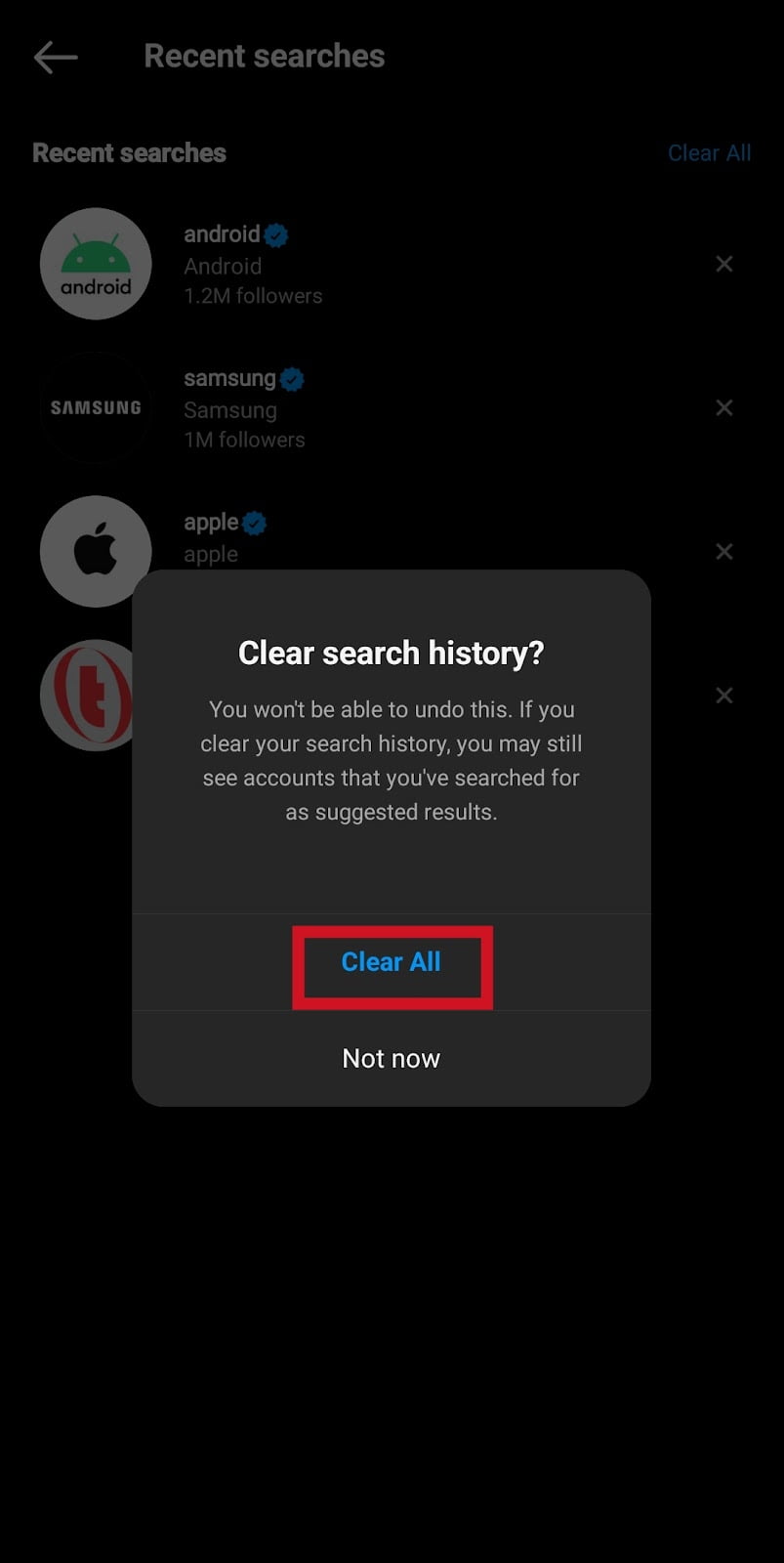
- Confirm you want to clear search history in the pop-up onscreen message. Tap Clear All.
How To Clear Search History On Instagram Web
- Login on Instagram Web using a web browser
- Tap the Search icon. Tap the second search bar to see your search history.
- Tap the X icon or Clear All to clear your Instagram search history.
How To Clear Search History From Multiple Instagram Accounts
If you are using multiple Instagram and Facebook accounts and you want to clear all your search history without doing it individually on each account. Here’s how to clear all accounts search history on Meta Account Centre.
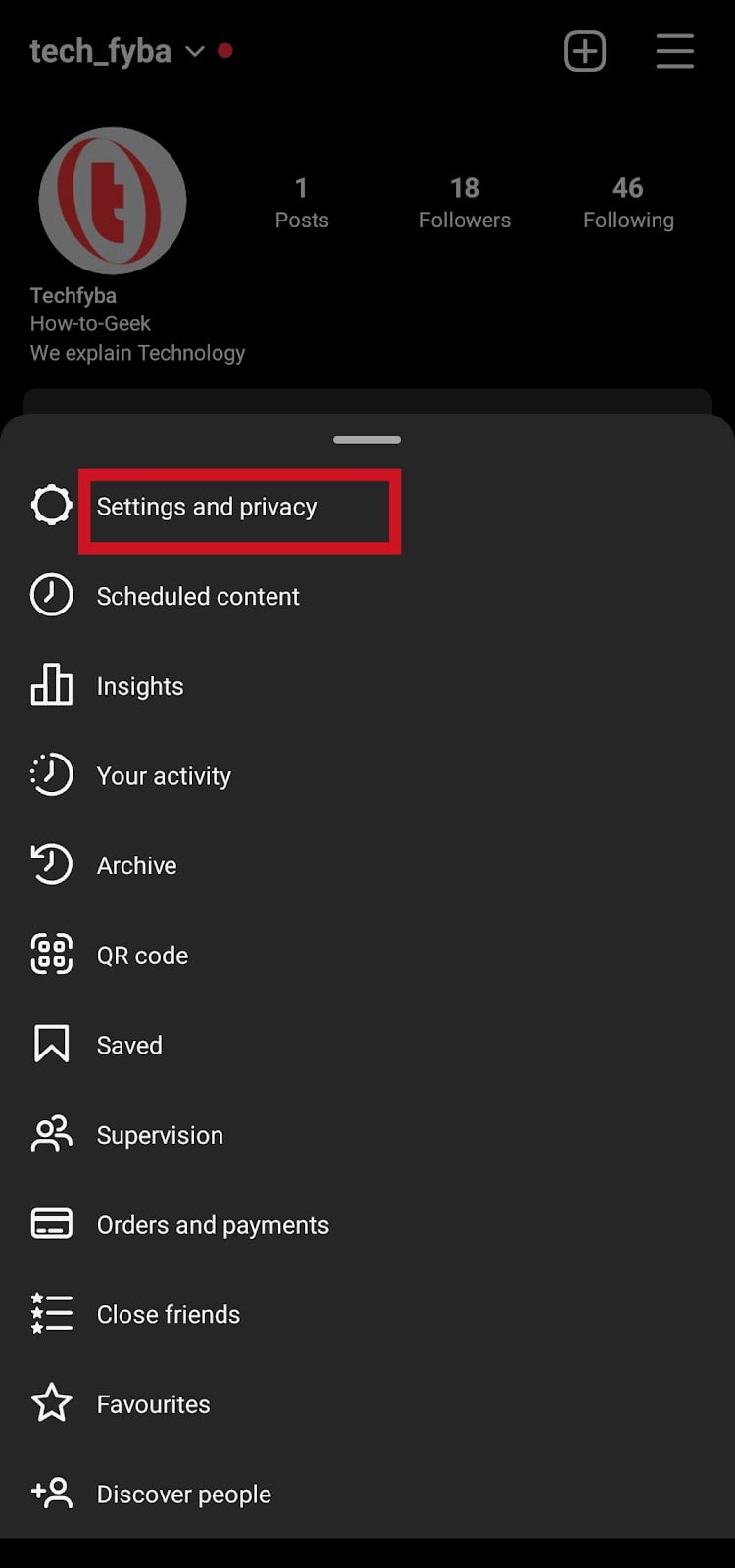
- Open Instagram app and tap your profile picture.

- On your profile dashboard, tap the three horizontal lines at the top of the screen.
- Tap Settings and Privacy
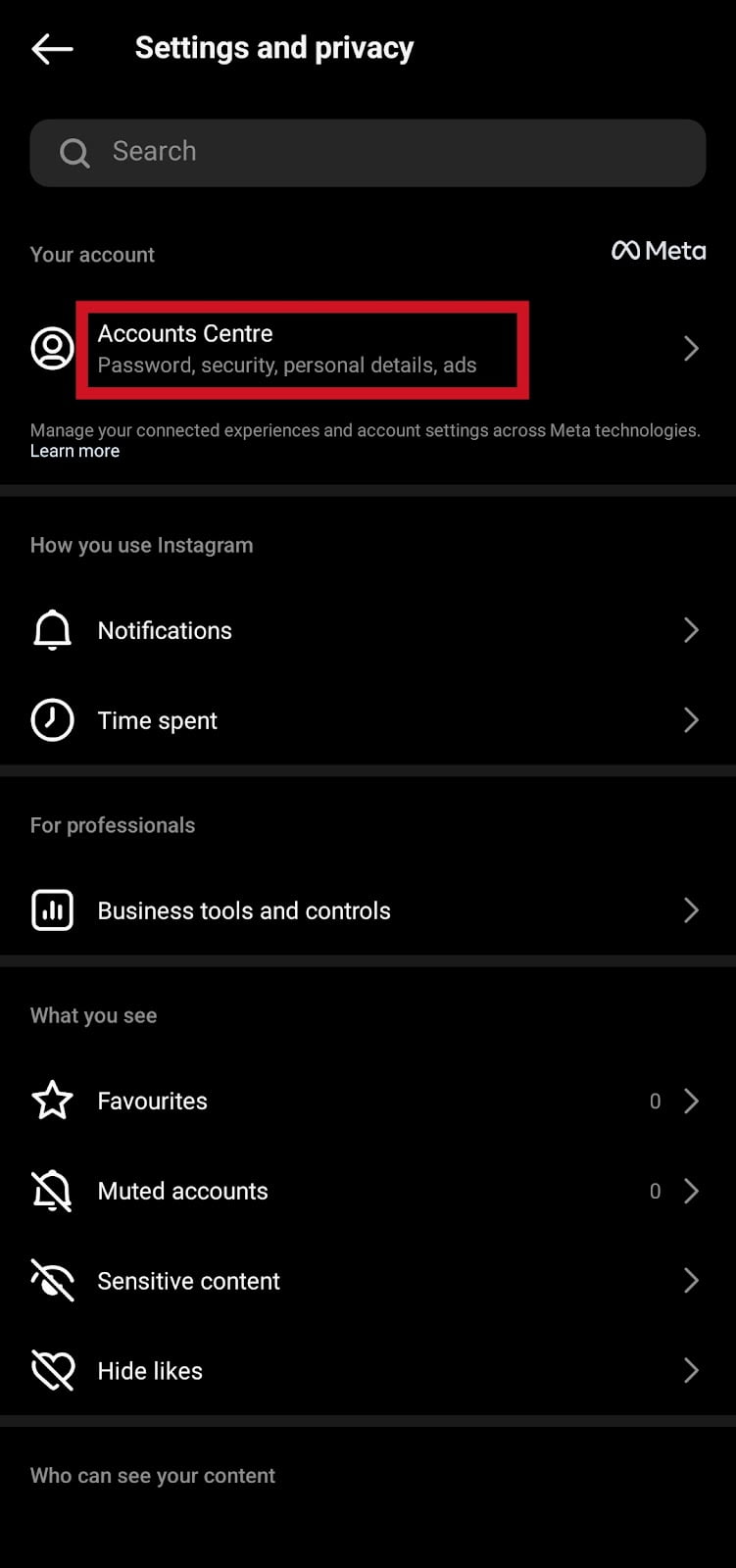
- Tap Accounts Centre to manage all your connected Facebook and Instagram accounts in one click.
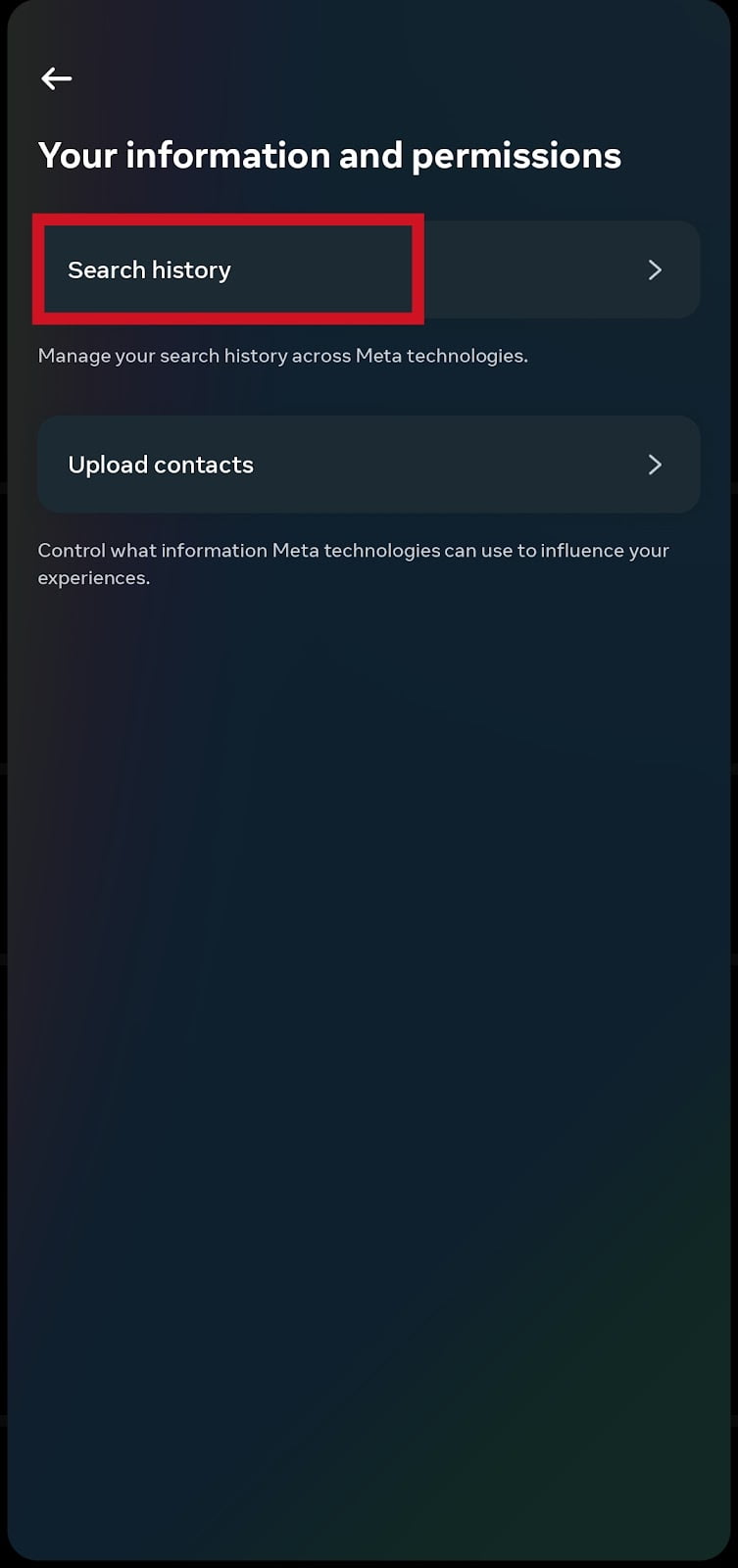
- Tap Your Information and Permission

- Tap Search History to manage all search history across Meta Technologies.
- Tap Clear All Searches.
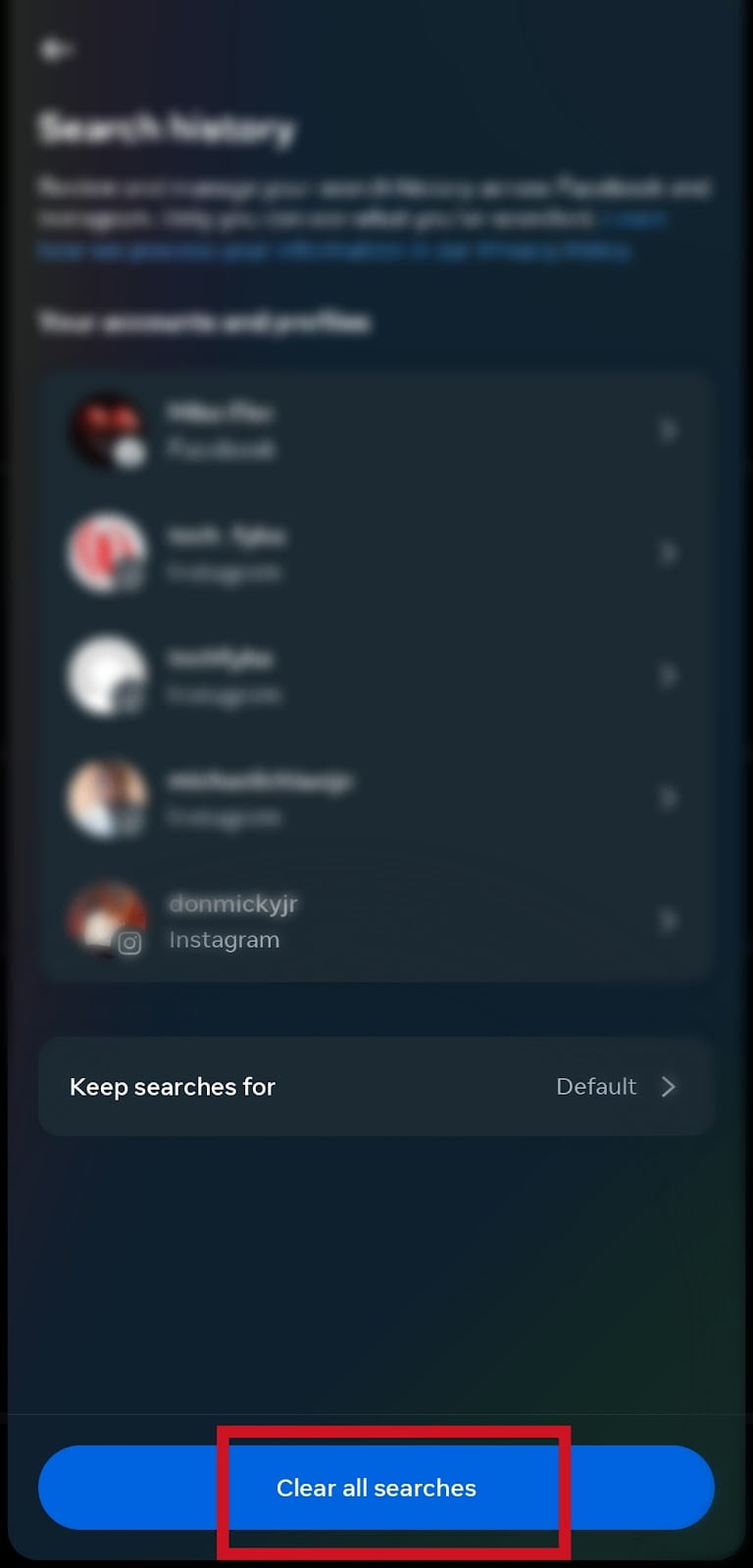
- Select the timeframe to clear your accounts searches. Select All Time if you want to clear all searches at once.
- Tap Clear All Searches to clear your accounts history everywhere.

The changes might not take effect immediately. It can take a few hours to clear your search history from all your accounts across Meta Technologies.
Also Read: How To Create Instagram Notes
How Auto Clear Search History Works
Auto clear search history is a feature on Meta Technologies that allows Instagram and Facebook to auto delete your account history.
You can also use the auto clear search history feature to clear your other accounts and profiles search history. Time frame ranging from 3 to 30 days. Your search history will be auto cleared when it’s older than the timeframe you choose.
Here’s how to set auto clear search history on Instagram;
- Open Instagram, tap your profile picture to go to your account profile dashboard.
- Tap the three horizontal lines at the top right corner of the screen.
- Click Settings and Privacy.
- Tap Accounts Centre.
- Click on Your Information and Permission.
- Click on Search History.
- Tap Keep Searches For
- The settings are set to default. Select your preferred time frame.
- Tap Confirm to confirm changes.
Your Instagram search history is only stored for 30 days. The searches will be auto cleared from your Instagram after 30 days.
You should also know that Instagram may use your searches to personalize your experience and suggest contents relating to your search history.
Conclusion
Clearing your search history can help you maintain your privacy when you lend your phone to someone else.
When you clear your search history, Instagram will delete all the searches you’ve made so far while using the app.
Frequently Asked Questions
Can Instagram Auto Delete My Search History?
Yes, Instagram can auto-delete your search history including all your connected accounts and profiles in Meta Accounts Centre.
You can set the time frame to auto-delete your search history ranging from 3 days to 30 days. Your search history will be automatically deleted according to the timeframe you set.
Can I Recover My Deleted Search History On Instagram?
The only way to recover your deleted search history on Instagram is to download a copy of your Instagram account information.
why do my recent searches on instagram disappear?
If your search history is always getting deleted, someone is using your account and will clear your search history to avoid leaving any trace to them.
To prevent others from using your account, you need to log out other devices from your Instagram account.
FURTHER READING
- How To See Liked Comments On Instagram
- How To Unsend A Message On Instagram
- Fix Instagram Unread Message Notifications But No Messages
