


In this article, you will learn how to add random people on Snapchat in 6 (six) easy steps.
You’re are new on Snapchat, or probably you’re not a tech person, and you want to connect with people or find new friends on Snapchat, this is for you.
One of the best things about Snapchat is that it’s easy to add new friends. Knowing how to add people on Snapchat has become essential for connecting and expanding your network.
From exchanging usernames and Snapcodes to discovering nearby and suggested friends.
In this article, you learn 6 ways to add random people on Snapchat and safety tips you need to know before adding them as friends.
Safety Tips Before Adding Random People As Friends On Snapchat
- Before you add people on Snapchat, be sure it’s people you trust. Making new friends is good, but be careful of who makes friends on social media platforms.
- Avoid sharing private and sensitive information about yourself with someone you newly added as a friend on Snapchat. Privacy should be your utmost priority when you’re using any social media platforms
- If your newly added friend on Snapchat inconveniences you or makes you feel uncomfortable. You can always use the Snapchat block feature for them.
6 Ways To Add Random People On Snapchat
Adding people on Snapchat can be a great way to meet new people and make friends. Here are 6 ways to add random people on Snapchat
Add Friends By Snapcode Scanner
The Snapcode is an image with a unique QR code IDs each Snapchat user. Snapcode is not limited to adding friends.
You can also use it to unlock Lenses, discover new content, and more. If you have your friend’s Snapcode and want to add them.
How To Add A Friend By Scanning Their Snapcode
- On the Snapchat camera screen. Tap Add friend
- Tap Snapcode icon
- Tap the Snapcode image
- Tap Add Friend.
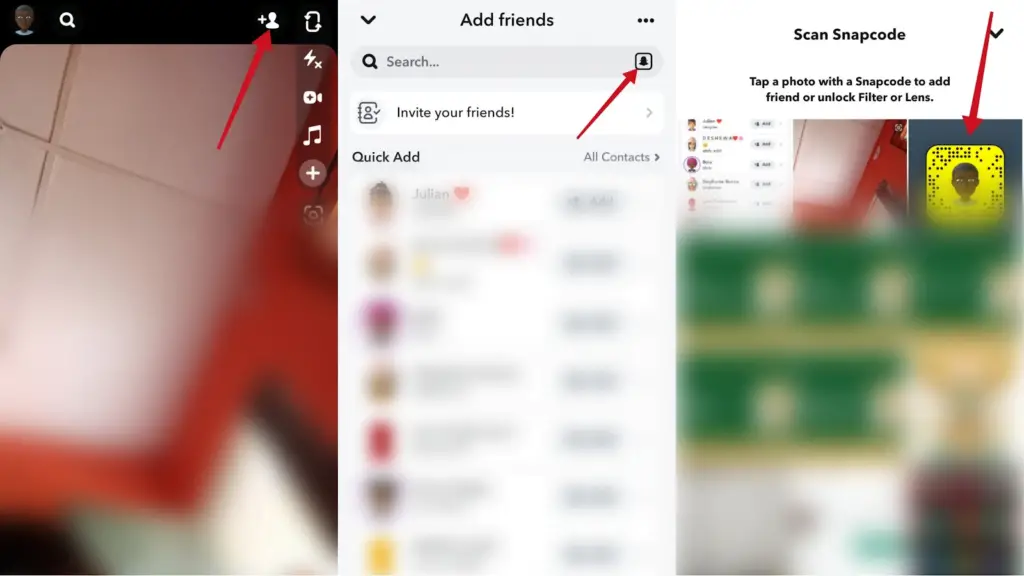
Once the Snapcode is scanned, the user you added will appear on your friends’ list. So, you can start sending them snaps.
From Quick Add
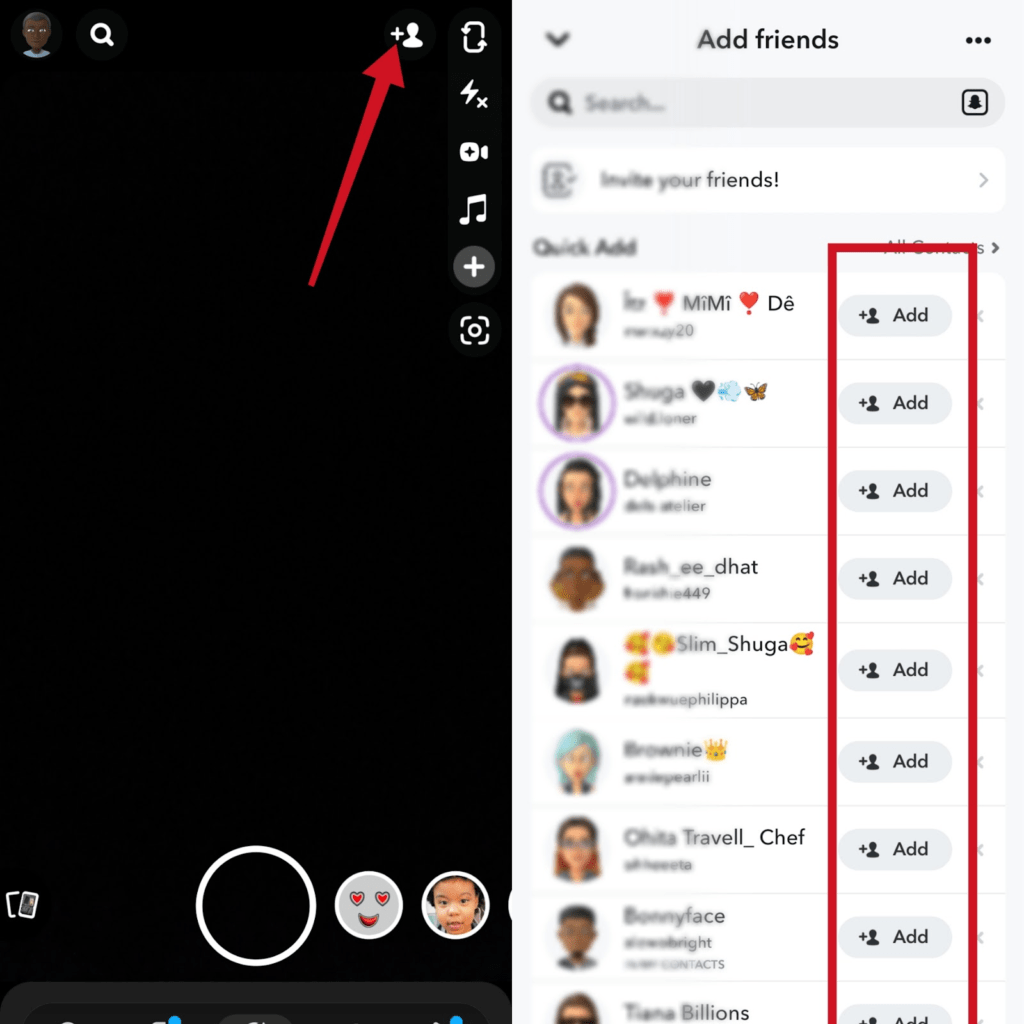
Snapchat quick add is the easiest way to add random people on Snapchat. Quick add can appear in various places on your Snapchat.
In most cases, friends in quick add are based on mutual friends to your Snapchat friends, people you follow, your interests and other factors.
Follow the steps below to add friends using quick add.
Tap add friend + sign »»» under add friend, you can start adding friends appearing in quick add.
Add Friends By Mention
You can use the mention to add random people on Snapchat when someone mentioned a Snapchatter in a story, or videos you viewed.
This feature is also available on other social media platforms. You can follow someone or add them in a post where their handle was mentioned.
From Snapchat Search
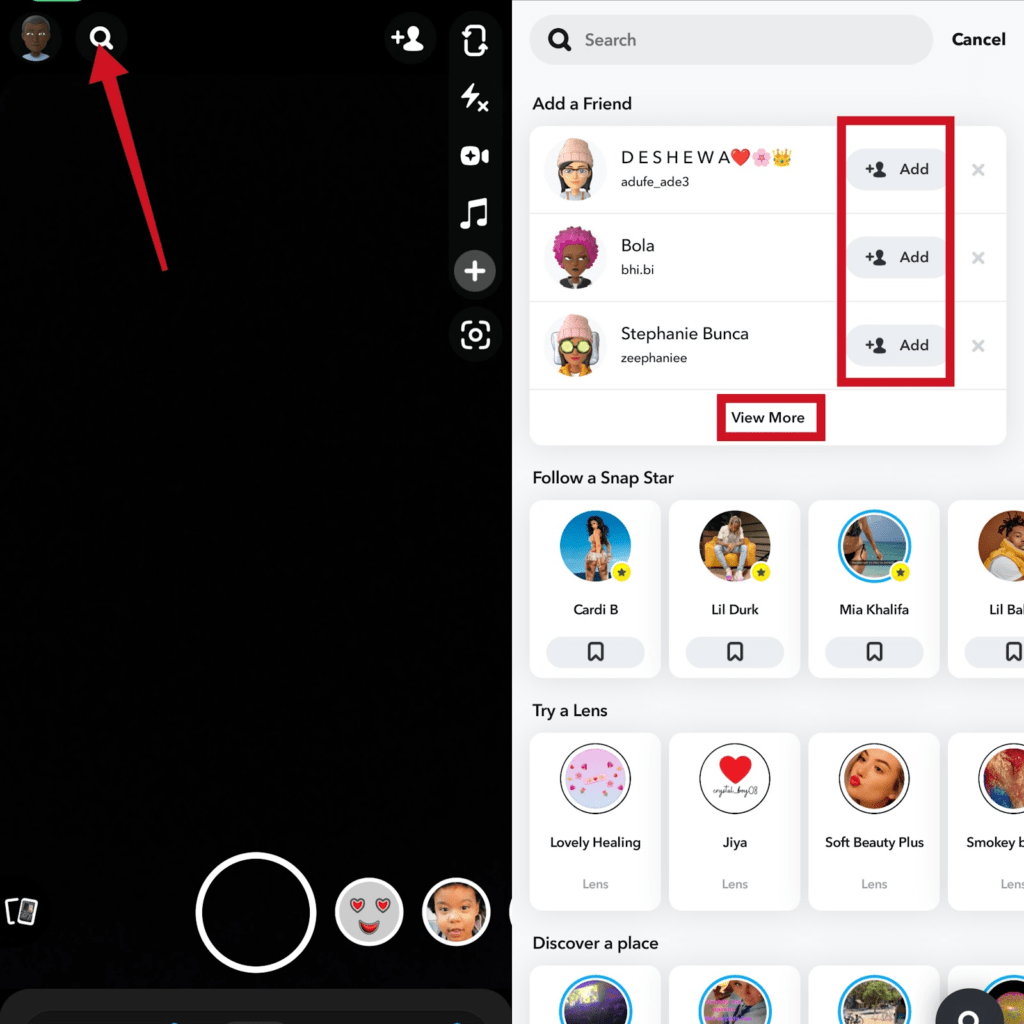
You can use the search to add friends either by searching their Snapchat usernames or through the Add a Friend feature populating on the search screen.
In the search section, you can add random people you don’t know as friends by searching for random names on Snapchat.
Snapchat Profile URL
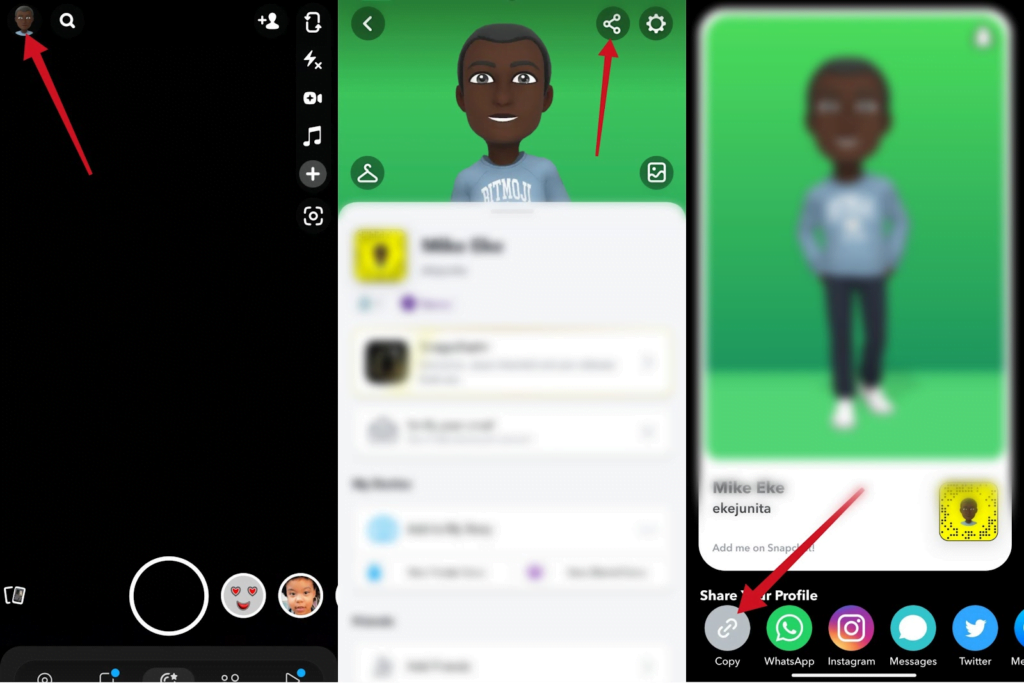
Someone can add you on Snapchat if they have your profile URL or if you have shared it with people before.
Tap your Snapchat Bitmoji »»» Share icon »»» share your profile
Using Snapmap nearby feature
The Snapchat map feature allows you to share your current location and add nearby friends. You can also use the nearby option to add outside of your location.
That’s if you want to add people outside of your current location.
To do this:
Go to your profile or tap the location icon on the camera screen »»» Snap map »»» tap your current location or tap any location on the map screen and it will show random people to add as friends.
Conclusion
Making new friends on social media can be fun but always make sure you’re not carried away to share sensitive information with them.
With the methods in this article, you can start making new friends and start sharing more funs and experience with them.
Frequently Asked Questions
How Do Strangers Find Me On Snapchat?
How Do I Chat With Strangers On Snapchat?
Why Do Random People Add Me On Snapchat?
How Do You Find Strangers You Add On Snapchat
FURTHER READING
- How to Unblock Someone on Snapchat
- How To Disable Snapchat Calls
- How to Block Someone on Snapchat
- How To Tell If Someone Blocked You On Snapchat
- How To Turn Off Snapchat Location
- How To Move Snaps To “My Eyes Only” on Snapchat
