

This article explains how to find live videos on Instagram. Instagram is one of the most popular social media platforms for sharing photos and videos.
Live videos on Instagram is mostly used by creators to grow an audience and engage their followers of events that are currently happening in real-time.
IGTV was the easiest way to watch random live videos on Instagram, but this feature was later removed in 2021. The question that most people are me is how can I find live videos on Instagram? Well it’s easy, there are few ways you can use to find random live videos on Instagram.
How to find Random live videos on Instagram
So, we’ll explain further the methods to find other people live videos on Instagram.
From your following list
The easiest way to watch live broadcast is from your following. If someone you’re following is broadcasting a live video, you can watch watch their live video without stress.
- Open Instagram app and login to your account
- Look for a profile with “Live” on your Instagram home feed. You’ll see a colorful ring and the word “Live” appear round and above the person’s username.

- Tap the profile to join the live video. Once you’ve joined, you can like, comment and share with other people.
Another thing to keep in mind is this, when you join someone else live broadcast, the host and other users will know you joined the broadcast.
Also Read: Does Instagram Notify When You Take Screenshots?
Start A Live Video on Instagram
This method is actually simple. But you need to have a second account on Instagram for this to work. You can also use your friend’s Instagram account if you don’t want to create another account on Instagram.
All need to do is to start a live video on Instagram for few seconds, share the link to your second account or your friend’s account and then end the live video.
- Open Instagram app on your mobile phone and login into your account.
- Tap the “+” icon on your Instagram home feed
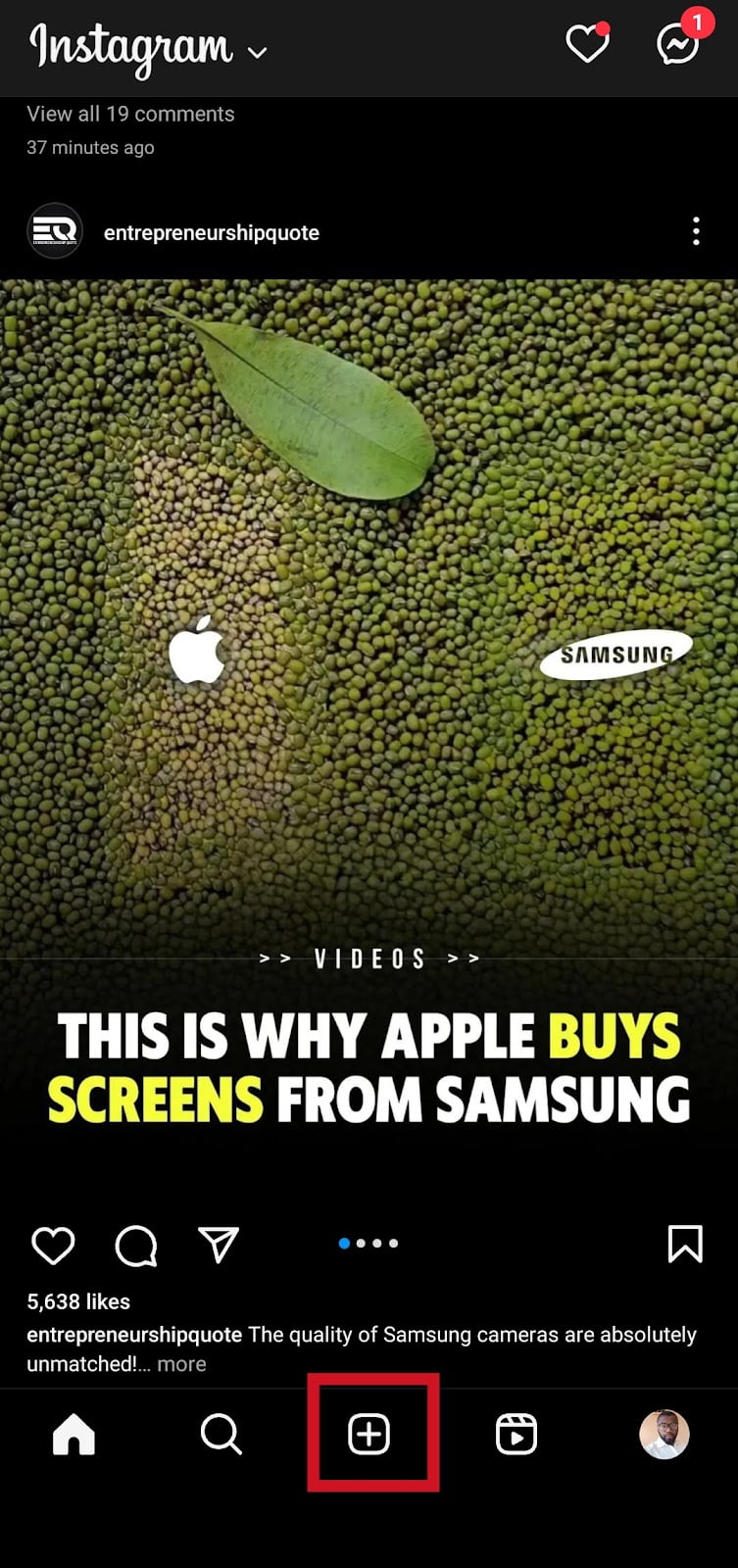
- Swipe left or tap Live at the bottom of the screen to start a live video.
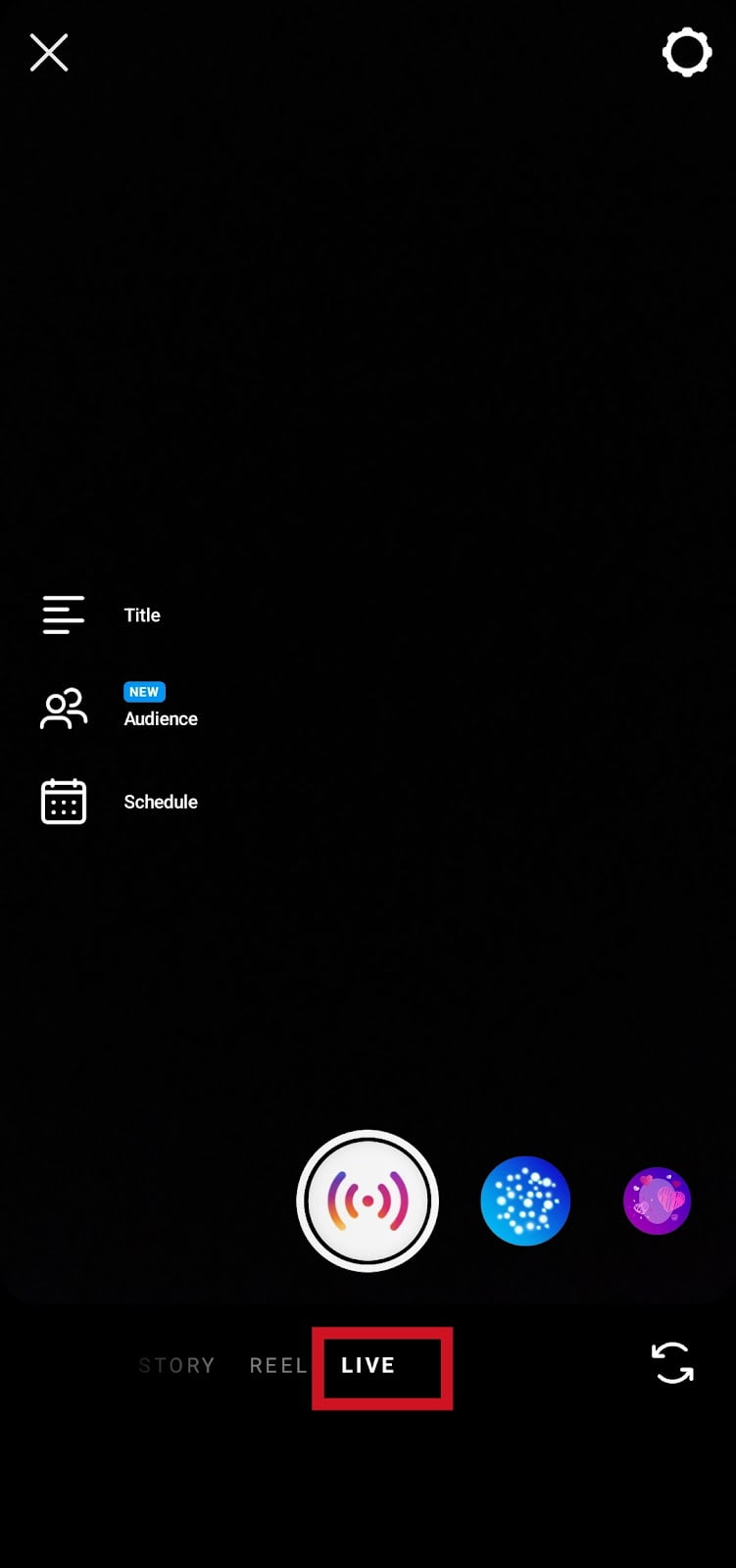
- You’ll go live once the connection check to complete.
- Now, at the right bottom corner of the screen, tap Send icon (paper plane icon).
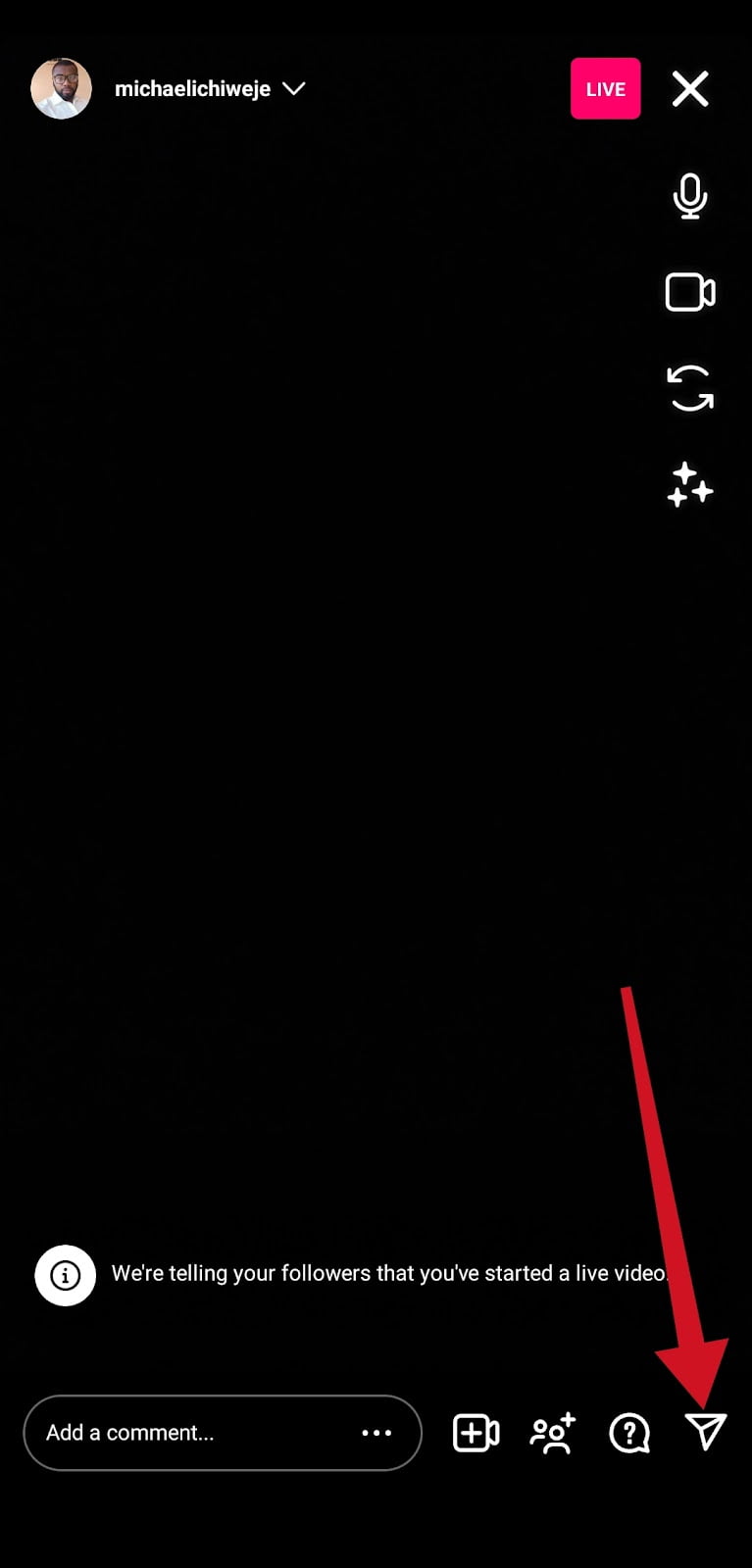
- If you already have a second account, look for the account, then select the name and tap the send button to share your live video.

- Go back to live screen and tap X icon, top right corner of the screen to end the live video.

- Confirm you want to end live video and tap End Video button.
- Tap Discard Video. Confirm and tap Discard to remove live video media file.

- Switch to your second account or your friend’s account you shared the live video link.
- Tap Watch Live Video. It will show you that the live video has ended. Below you’ll find videos of other users who are currently live in real-time.
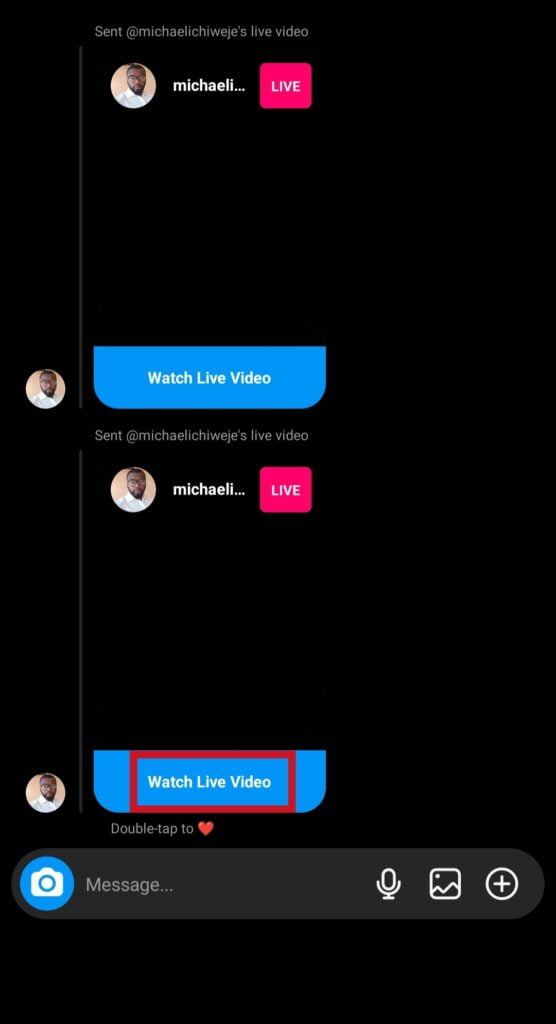
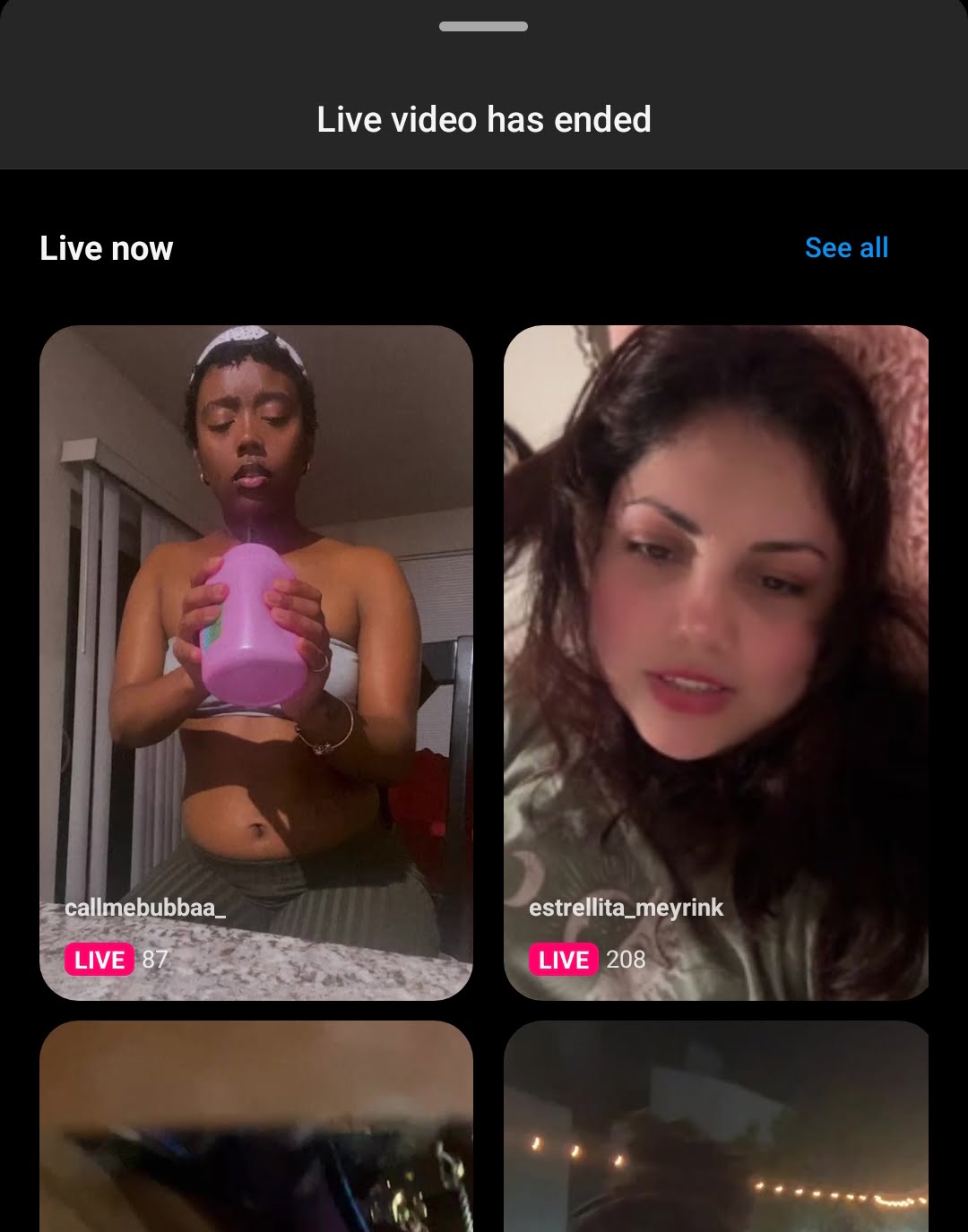
- To see more live videos tap See All
Also Read: “No Results Found On Instagram Music” [5 Ways To Fix It]
Using random topics to search for Live Videos
You can search for random keywords on Instagram using the search bar.
To do this:
- Open Instagram
- Tap the Search icon and search for the topic of your interest.
- You will see a list of accounts, then look for the ones that have “Live” on them. And tap to watch the live video.
You can also do this using hashtags.
Follow Account Hosting Live Session
If you know someone who will be hosting a live video on Instagram, but you’re not following the person. You need to search for the person’s account and follow the account. Doing so, you will always receive a notification whenever the person goes live on Instagram.
To watch the live video, tap the notification to join the live video session.
Can I Know When Someone Starts a Live Broadcast on Instagram?
Yes, but it’s limited to the accounts you’re following and when someone you’re following goes live on Instagram, it will appear at the top of your home feed with a colourful ring around it and the word “Live“.
Also, you could know when your notification for live broadcasts is turned on. When someone you follow goes live on Instagram and your notification is turned off. You won’t be able to know the person is on live broadcast without opening the Instagram app.
How to turn on live notifications on Instagram
- Open the Instagram app on your phone and log in to your account.
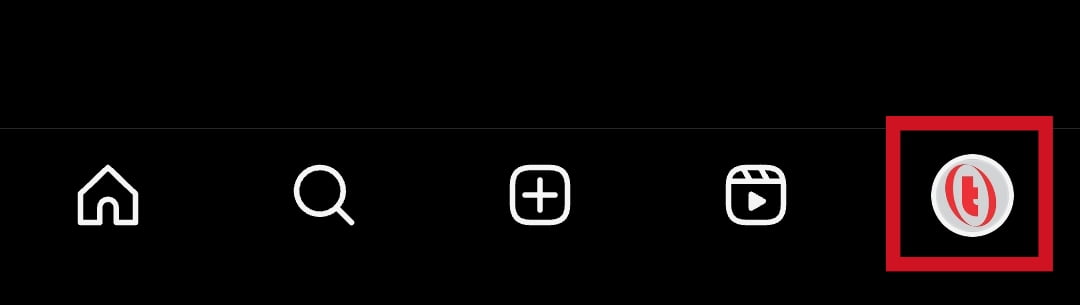
- Once on the home feed, tap your Profile Picture at the bottom right corner of the screen.
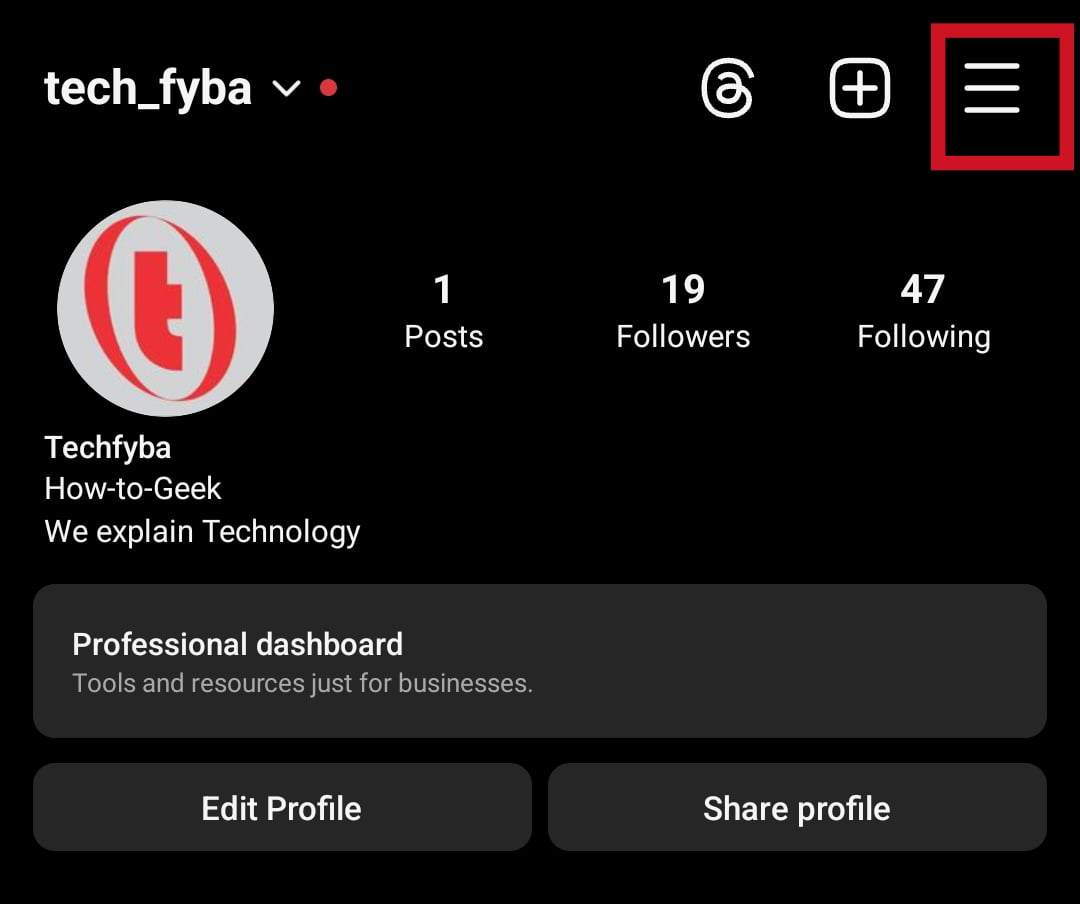
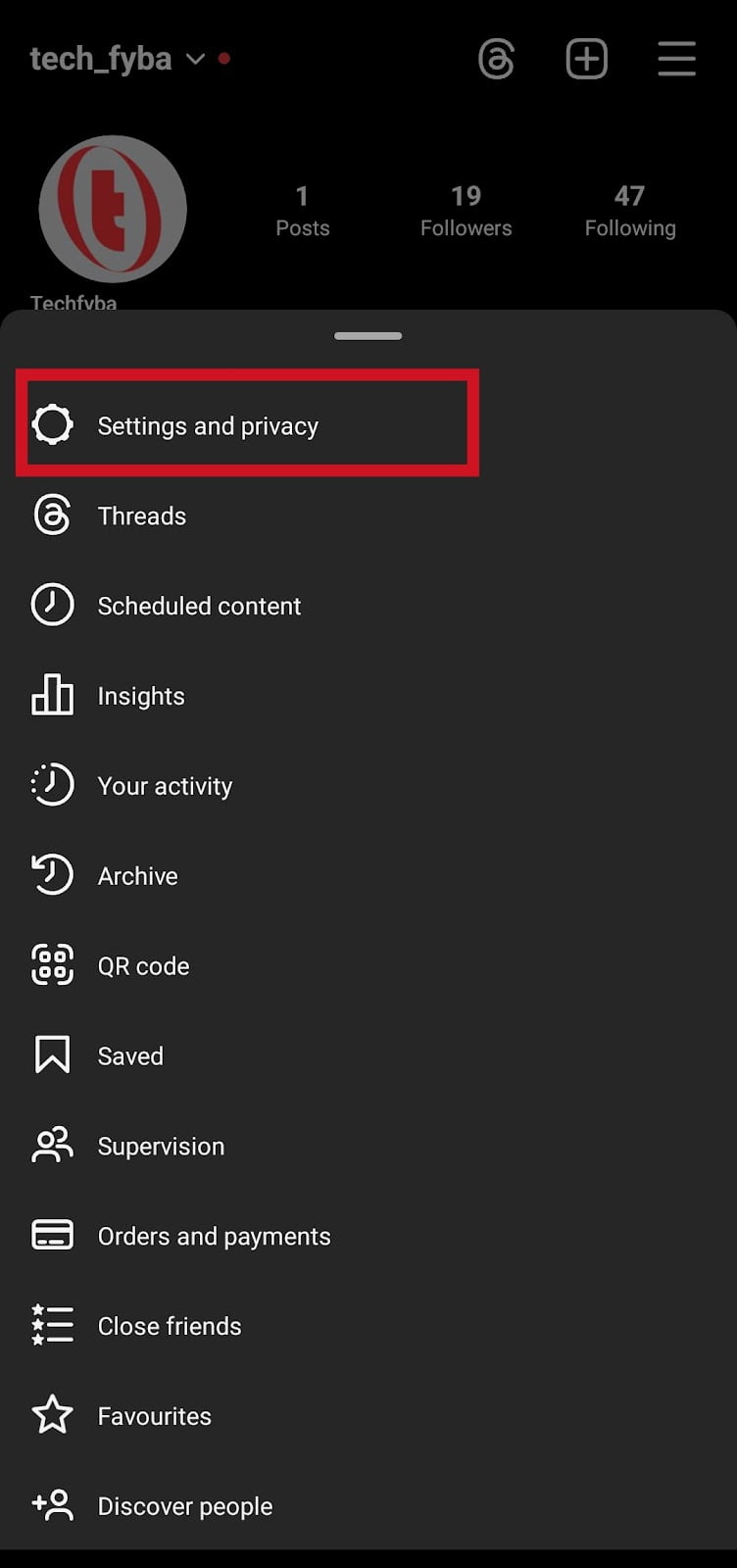
- Tap the Hamburger Icon (three horizontal lines top right corner of your profile dashboard)
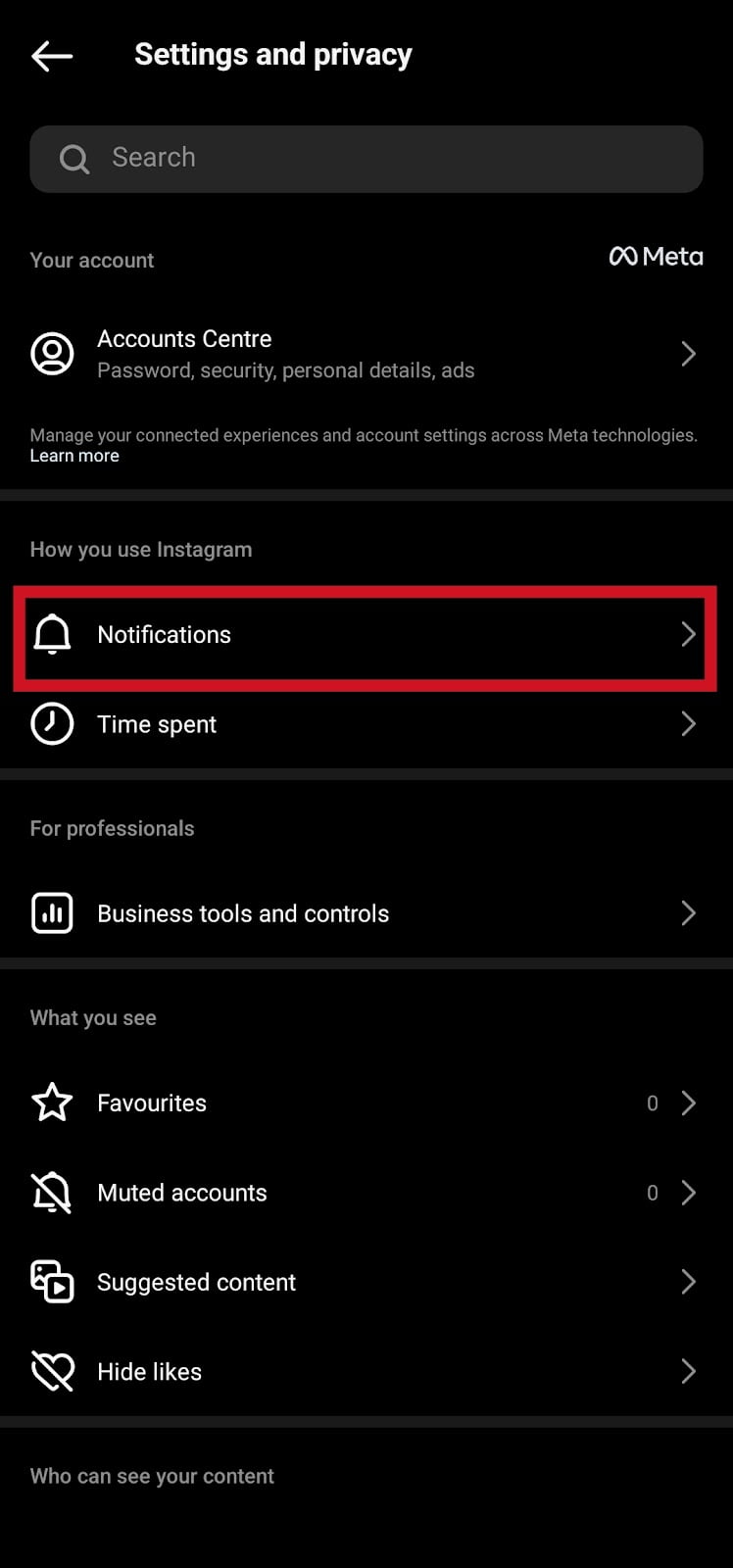
- Tap Settings and Privacy
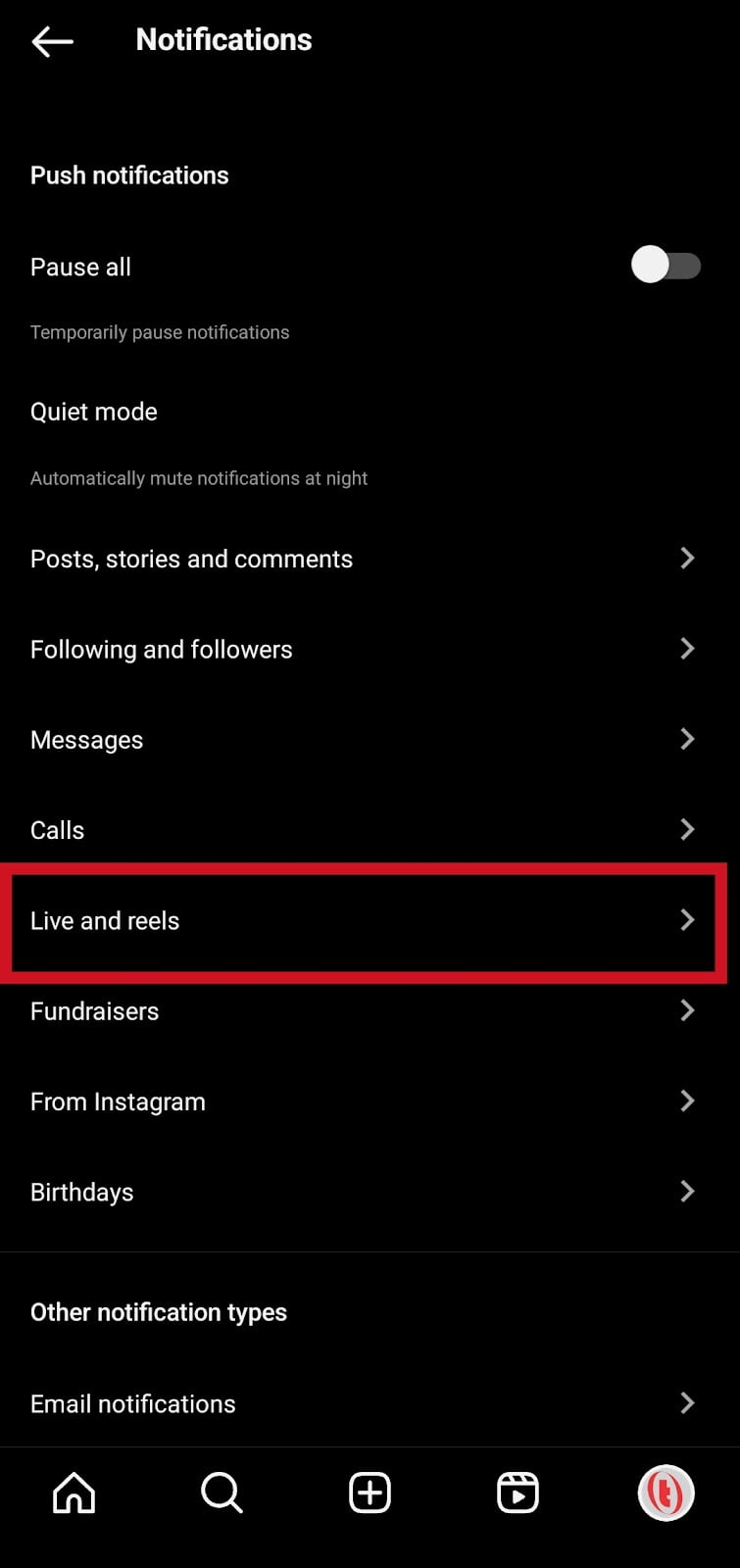
- Tap Notifications
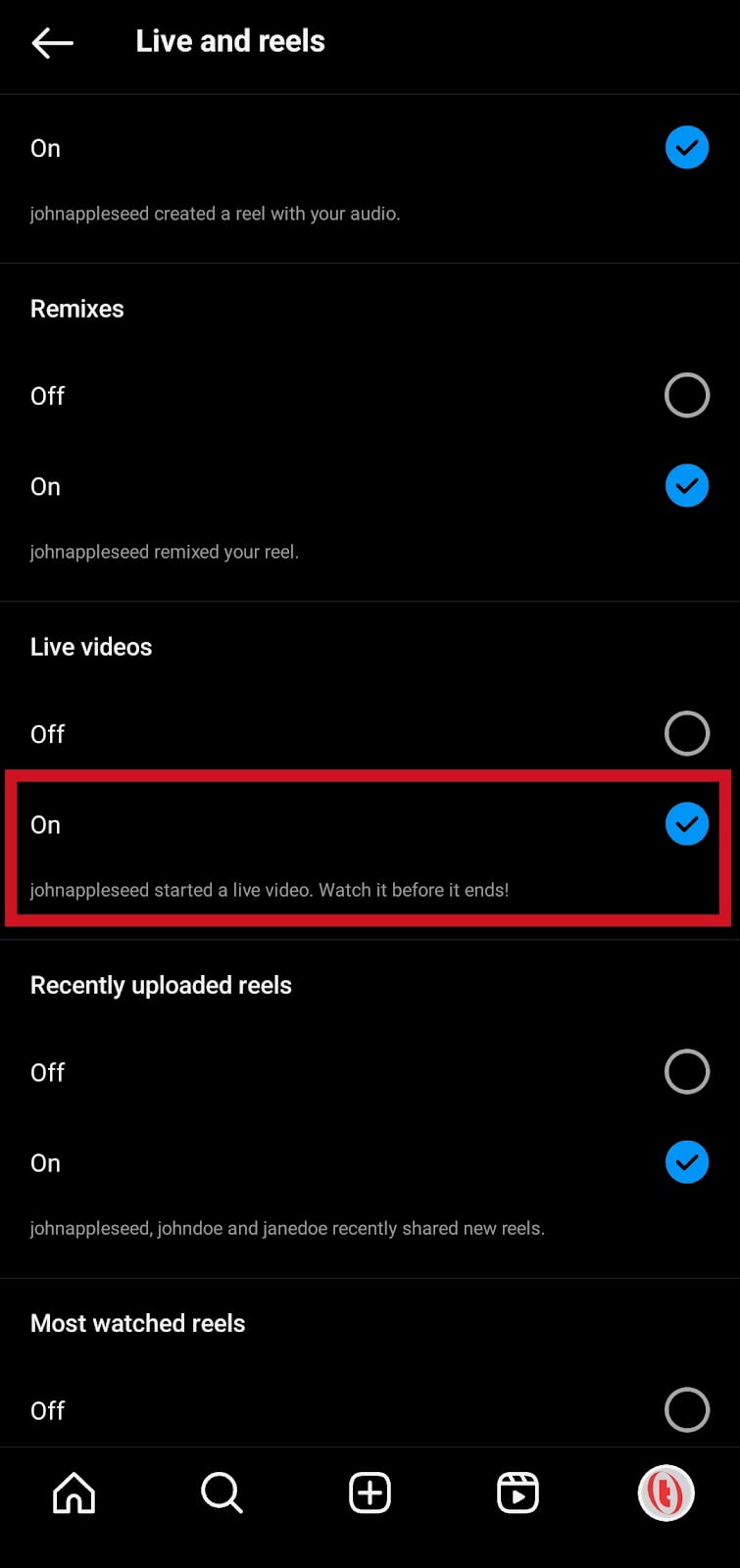
- On the notification tab, tap Live and Reels
- Look for Live Videos, and tap ON to enable notification for live broadcast
Also Read: How To Log Out Other Devices On Instagram Without Changing Password in 2023
Conclusion
For now, the only way to watch live videos on Instagram is to use the following methods in this article.
If you want to be updated when anyone you follow goes live, you need to ensure that your live notification is turned on.
Frequently Asked Questions
Why can’t I find live videos on Instagram?
Since IGTV was removed from Instagram, it has been very tricky for users to be able to watch live videos. You can’t find live on Instagram if the people you’re following are not hosting live sessions on Instagram.
Also, there are other reasons, you are not following anyone who is currently live, there are no live videos happening at the moment or your internet connection is bad.
You will receive a notification if anyone you’re following goes live on Instagram.
What happened to IGTV?
In October 2021, due lack of user engagement, Instagram removed IGTV to focus more on video content. As a result, in-feed videos and IGTV were merged into what we know as Instagram videos feature today.
Does Instagram notify you when people go live?
Yes, mostly definitely if your notification is not paused or turned off in the app. If your live notification is turned on, you will always receive notifications whenever someone you’re following goes live.
Why is Instagram not notifying me live?
If you are not receiving notifications when someone you follow goes live. This means your notification for live video is turned off. You need to turn it back on to receive live broadcast notifications.
How do I turn on live notifications on Instagram?
Open Instagram »»» Profile Picture »»» Hamburger icon (three horizontal lines) »»» Settings and privacy »»» Notifications »»» Live and reels »»» Live videos »»» toggle On.
Does going live on Instagram increase followers?
Yes, going live on Instagram can help increase followers but not 100% guaranteed. Once you go live on Instagram, your users will be able to like, comment and share your content with others who are not following you. Thus, this will increase your chances to gain more followers.
Is IGTV gone?
Yes, Instagram TV (IGTV) has been removed from the platform. In October 2021, IGTV was merged with in-feed videos on Instagram.
The reason for this change was that Instagram was not seeing enough engagement with IGTV.
FURTHER READING
- Switch From Instagram Business To Personal Account In 2023
- How To Unsend A Message On Instagram
- What Is Vanish Mode On Instagram? [Everything You Need Know]
- How To Recover Disabled Instagram Account
