


WhatsApp is one of the most used popular messaging apps worldwide. Recently, WhatsApp introduced a new locked chat feature to enhance the privacy and security of its users.
For people who want to keep their conversation more private, locked chats in WhatsApp offers an additional layer of protection by allowing you to lock specific individual conversations, group discussions and announcement group in the community with biometric authentication.
Locked chats are hidden from the main chat list and can only be accessed by using biometric (fingerprint and face ID) verification. This extra layer of security can help to protect sensitive conversations from prying eyes.
In this article, we will explain what locked chats in WhatsApp are, features and everything you need to know about the new feature.
Key Points
- WhatsApp Calls won’t be locked. A call from a locked chat contact or group will still appear.
- When you lock a chat, the person you’re chatting with won’t be notified that you have locked the chat.
- To lock an archived chat you need to unarchive it first before you lock the chat again.
- The initial device you use to enable locked chat will only lock the chats on that device. However, other linked devices, such as your PC or desktop computer, will not display the locked status.
- If you backed up your WhatsApp, restoring it won’t change the lock settings. Previously locked chats will still appear locked even if you’re restored your chats to a new phone. To be able to access your locked chats, you need to set up your device fingerprint and face ID.
- Notification messages for any locked chats are hidden. It will appear as 1 New Message. Just like when you hide lock screen notifications on your Android or iOS devices.
Features Of Locked Chats In WhatsApp
Enhances Privacy
WhatsApp already has an end-to-end encryption to make conversations more private. But the new locked chat feature in WhatsApp is an added advantage to anyone who wants to go the extra mile to protect their chat conversations.
WhatsApp-locked chats are not just limited to individual personal chats but can also lock chats in WhatsApp communities, and groups.
Security (Password Protected)
The locked chats feature is password protected, and the contact will appear as locked chats on the chat screen list and won’t be visible.
Let’s say you want to keep a particular chat private and don’t want anyone to have access to the chats. You can lock the chats.
Even if someone else accesses your WhatsApp chats, they will be unable to view locked chats since they remain hidden from the chat list and require a password for access.
Convenience
Locked chats are still accessible from within the WhatsApp app, so you can continue to send and receive messages without having to switch to third-party apps.
Hidden Notifications
Locked chat features are not just limited to password-protected chats. But can also hide sender notification messages. You can only view and reply sender’s messages in locked chats. The picture below depicts an example of locked chats and hidden notifications.
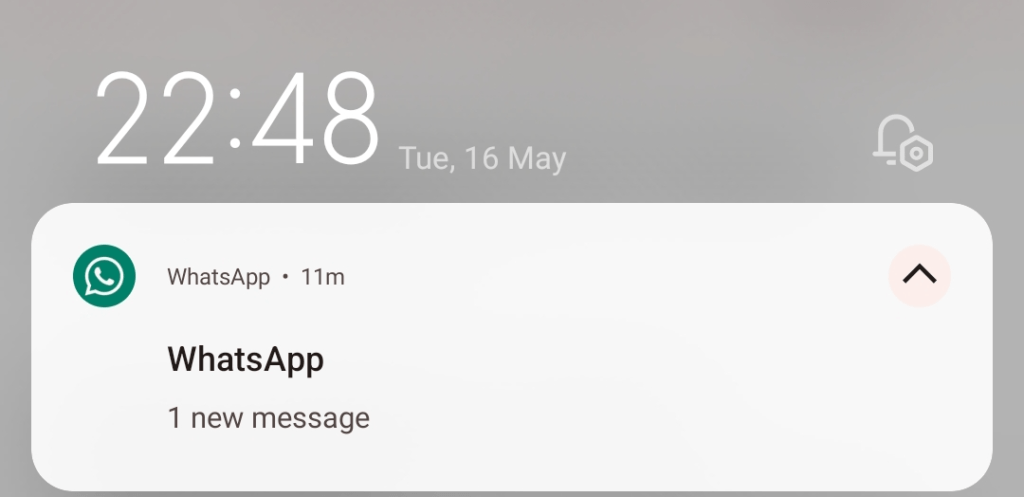
Unlike the normal WhatsApp notification messages, where you can reply to messages directly through the notification message.
When chats are locked, the notification will show as WhatsApp: 1 new message. The new WhatsApp locked chats feature does not allow direct message replies through notifications messages.
How To Turn On Lock Chats In WhatsApp
- Open the WhatsApp app on your phone
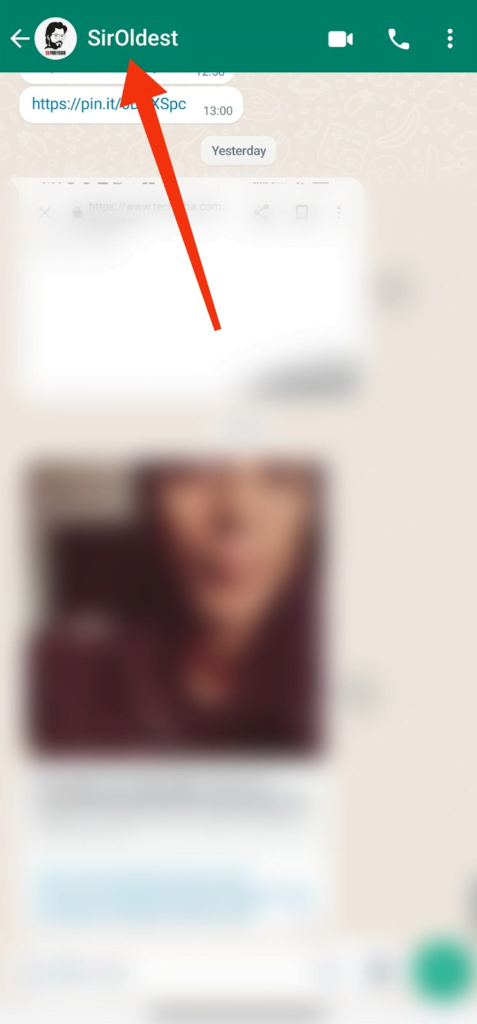
- On the chat screen, tap the contact, or group you want to lock the chats to open chats.
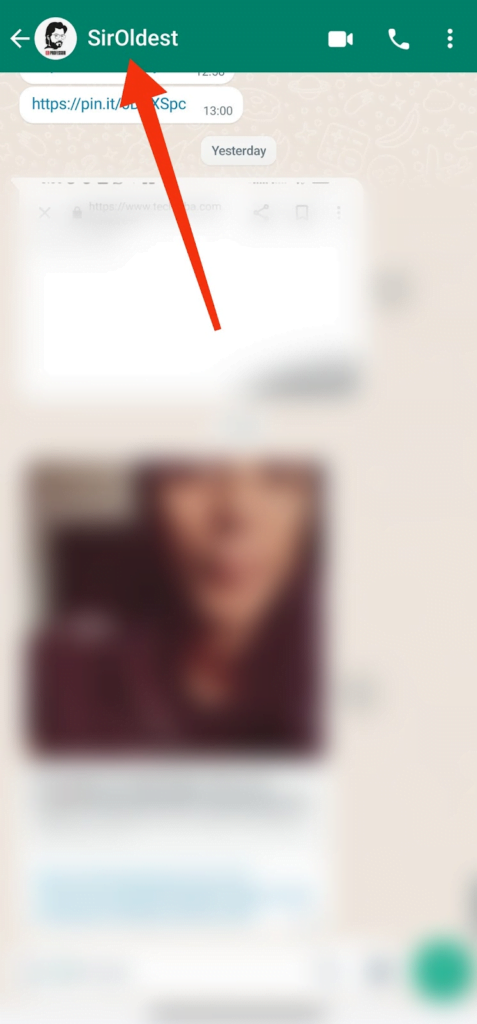
- Click the account name on the menu head
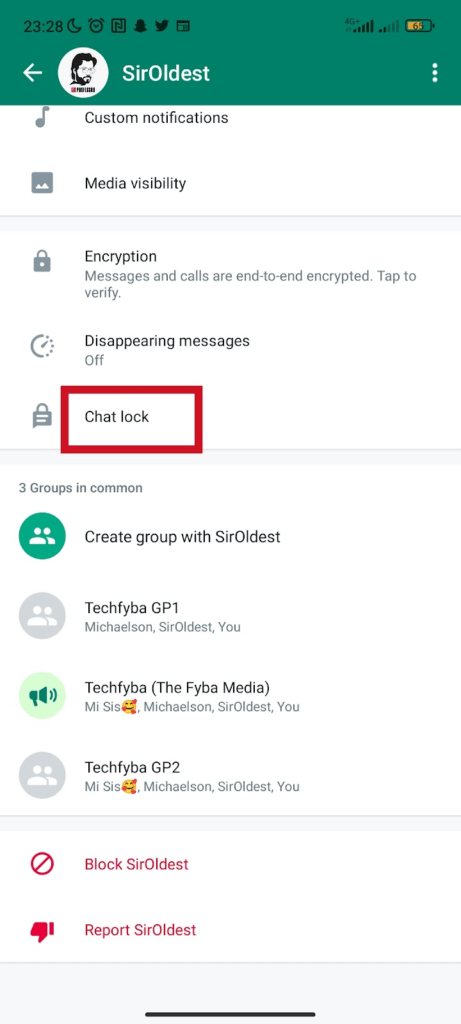
- Scroll down and select Chat Lock
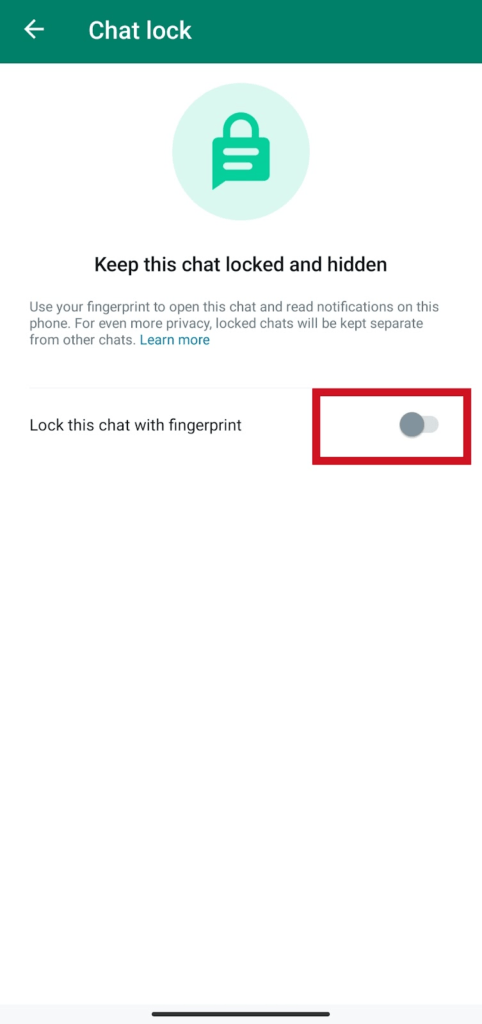
- Tap to toggle on, and lock chat with fingerprint
Go to your chat screen, swipe down, and tap locked chats to view chats.
You can use this same setting to implement locked chats on community announcement groups and individual groups.
How To View Locked Chats
- On the chat screen tab, swipe down
- Tap the locked chats folder to open it
- Touch the fingerprint sensor to unlock the chats folder
- Tap chat to view and send messages
How To Turn Off Lock Chats In WhatsApp
- On your WhatsApp chat screen, swipe down and tap locked chats
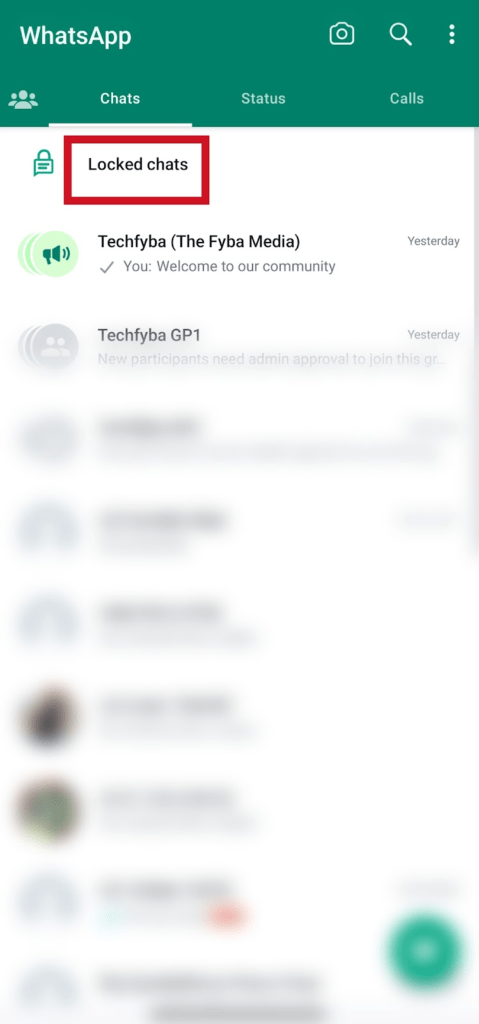
- Enter your fingerprint or face ID to unlock locked chats.
- Select the contact your want to turn off locked chats
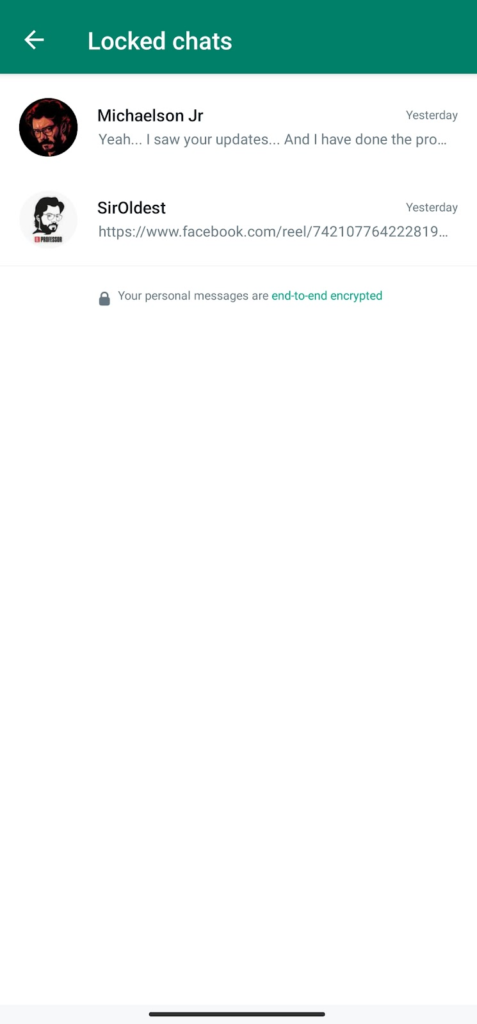
- Tap the contact name on the menu head to view contact info
- Scroll down and select Chat lock and confirm fingerprint.
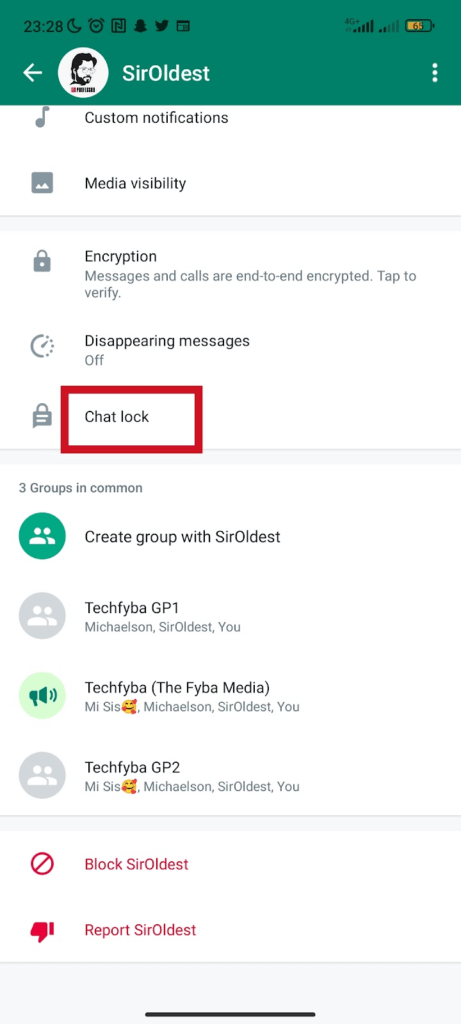
- Tap to toggle off the lock for this chat
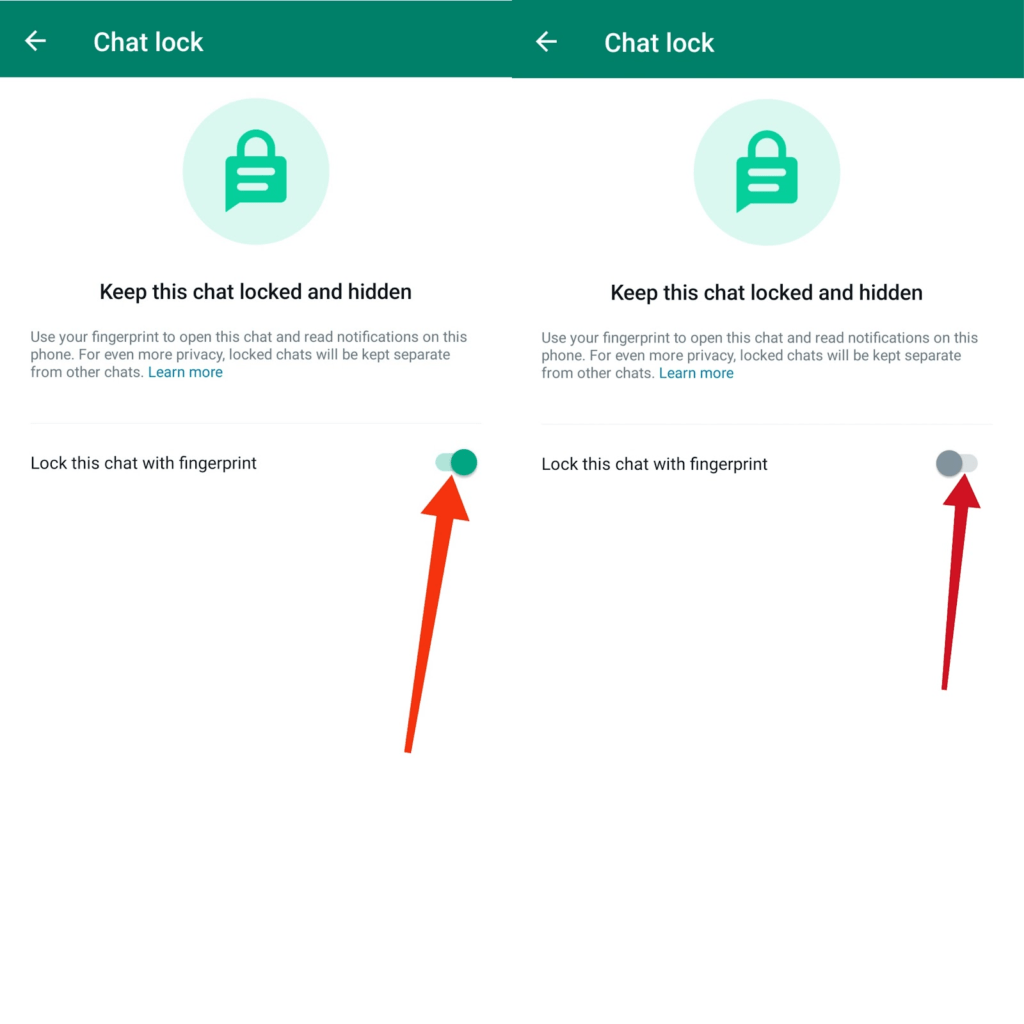
Once the lock for the chat is turned off, the chat will become visible on the chat screen list. To hide the chats again, you have to relock the chats.
Conclusion
If you want an extra layer of protection, locked chats in WhatsApp are a great way to protect your privacy and keep your most private conversations safe.
We hope this article explains all there is to know about the new locked chats feature in WhatsApp.
FURTHER READING
- 5 Reasons Why WhatsApp Will Ban You
- How To Connect Your Whatsapp Account To Instagram
- How To Create A WhatsApp Community
- WhatsApp Communities VS Groups: Everything You Need To Know
- How To Add Or Remove Groups In WhatsApp Community
- How to Stop WhatsApp Auto Download Media on Android and iOS
