


WhatsApp Communities are a new feature that allows you to bring together multiple groups under one umbrella. This can be useful for organizing large groups of people, such as schools, sports teams, or an organization.
Whether you’re an admin seeking to streamline your community or a member interested in joining or leaving specific groups, this article has got you covered.
By following these simple instructions, you’ll be able to effectively organize and customize your WhatsApp experience to suit your preferences.
Quick Answer
You can add or remove groups from a WhatsApp Community at any time. To add a group, open the Community and tap the “Add Group” button. You can then select an existing group that you are an admin of. To remove a group, open the Community and tap the three dots next to the group name. Then, tap “Remove from Community.”
You can also add groups when creating a WhatsApp community.
How To Add Groups In WhatsApp Community
- On the WhatsApp chat screen, swipe right or tap the community tab.
- Tap on your community.
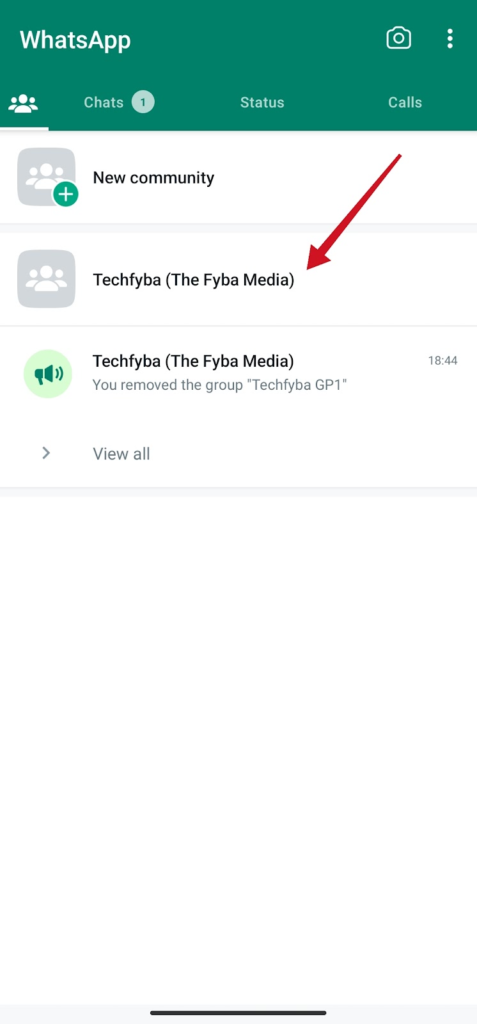
- Select Add groups
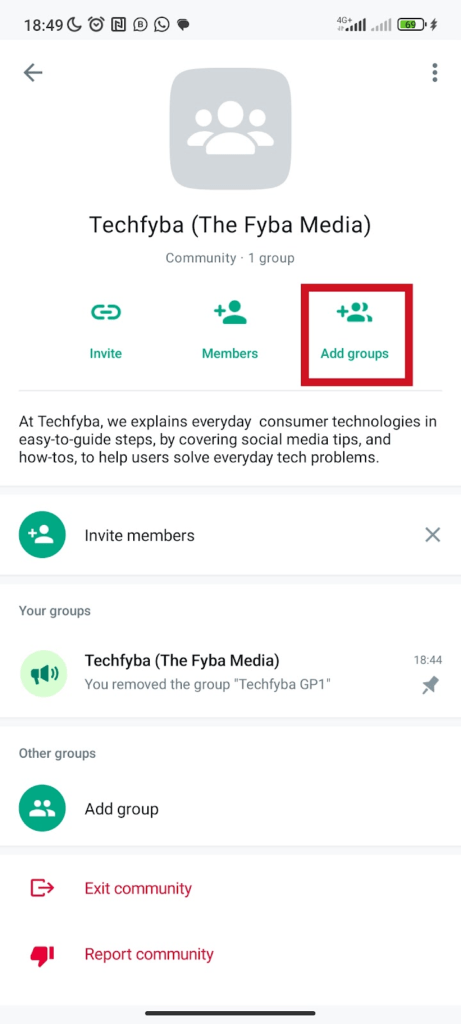
- Select add existing groups to add groups
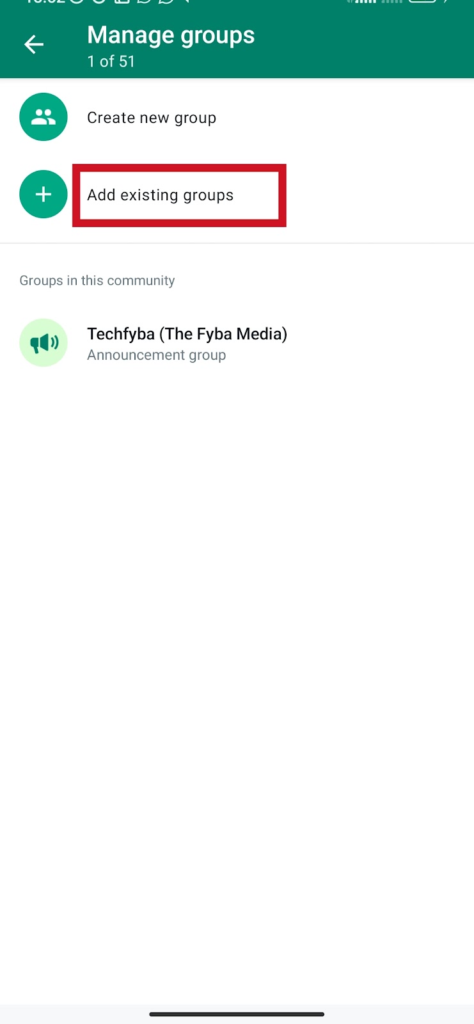
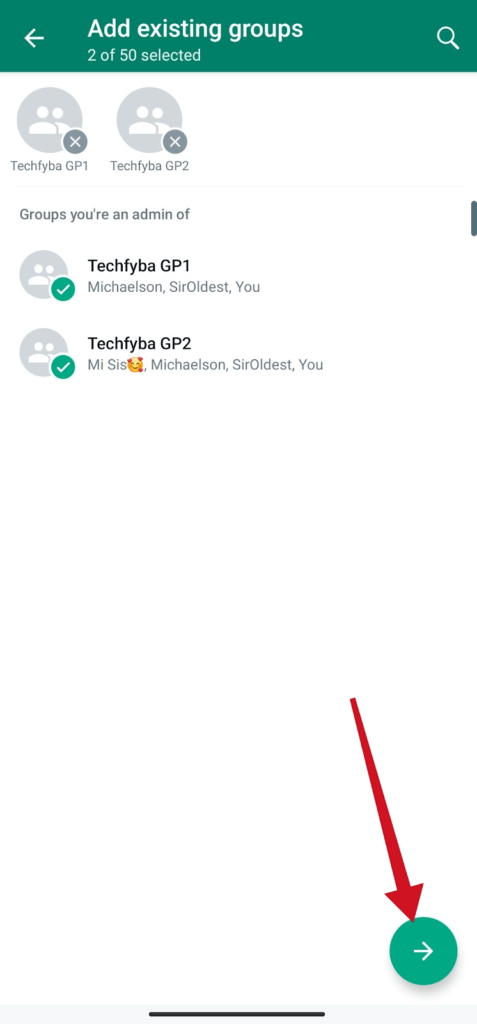
- Select the groups you want to add to your community. Then tap the next arrow button to continue and add groups to your community.
Can I add multiple groups to my WhatsApp community at once?
Yes, WhatsApp communities can size a total of 50 groups at once. You can’t add more than the group size limit of 50 to your community. With the default community announcement group of 5,000 members.
Only the community administrator can send messages, and view all members in the community announcement group. Members can only view admins and messages in the announcement group.
How To Remove Groups From WhatsApp Community
- Open the WhatsApp app, tap the community tab or swipe right.
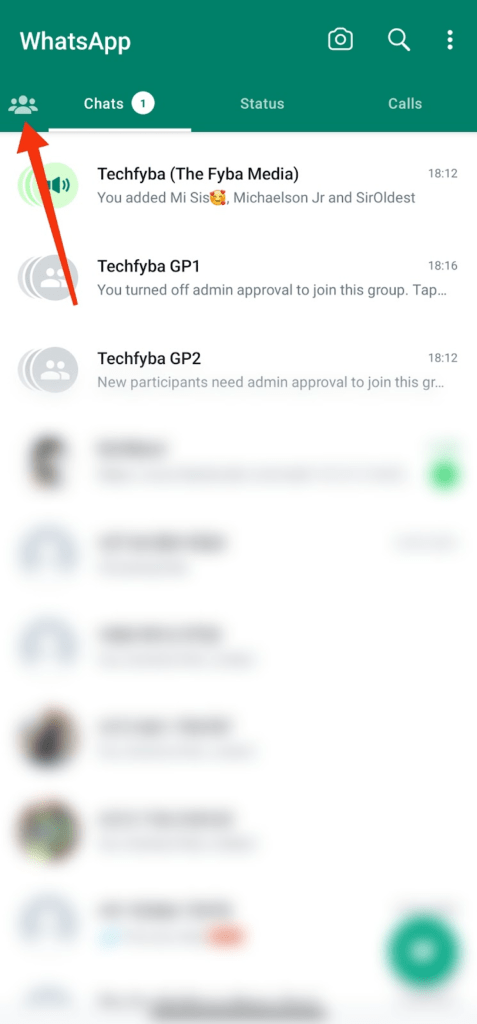
- Tap your community
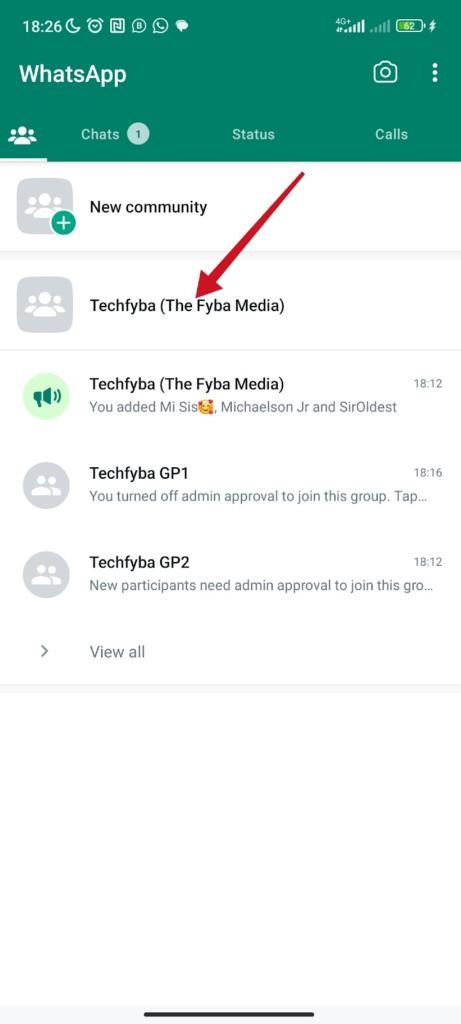
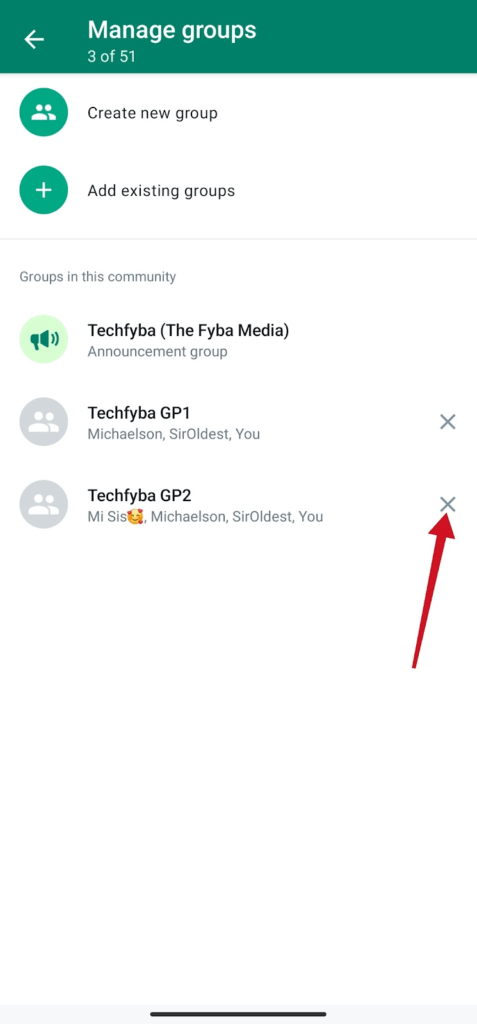
- Tap the more options (three dots) top right. And select Manage Groups.

- Tap the remove group sign
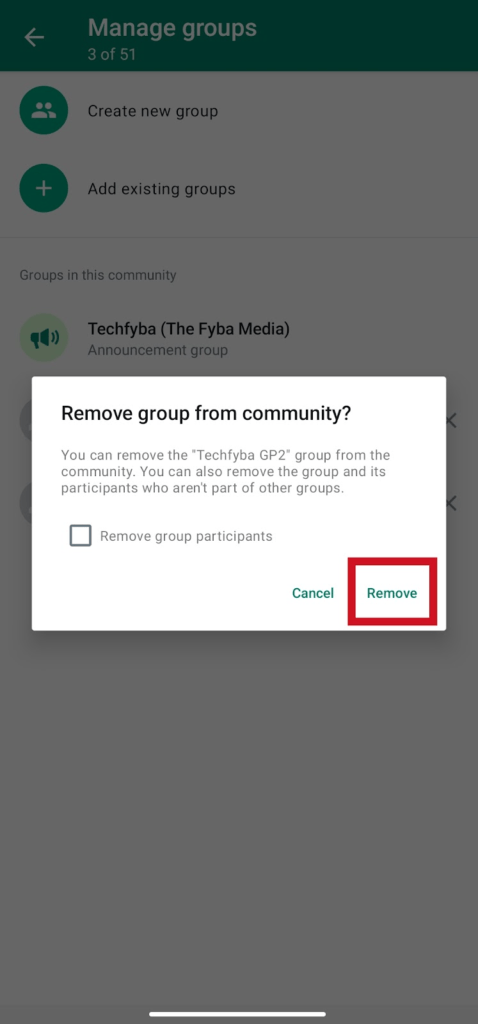
- Select Remove to remove the group from the community. If you know temporarily remove the group from your community don’t tick the box. Ticking the box will remove all group participants who are in the groups.
You can also remove groups from the community without going to the community tab. On the chat screen, Tap the group > Group name to view group info > Scroll down, tap remove from community > remove.
This method is an easy and fast way to quickly remove a group from the WhatsApp community.
Can I remove multiple groups from my community at once?
No, there is no option to remove multiple groups from the community in one click. You have to remove one group at a time. You can also re-add a removed group back to your community.
Frequently Asked Questions
Who Can Add Or Remove Groups In A WhatsApp?
Only the community creator or members promoted as admin can create, add new groups and remove groups in a WhatsApp community.
Can Group Admins Post In A WhatsApp Community?
No, the community creator holds all the privileges. Group admins can only post in a WhatsApp community when they are promoted to admin in the community. Being a group admin doesn’t give them the privileges to send messages in the community.
Who Can Delete Whatsapp Community?
Only the community creator holds the privilege to delete and deactivate a community. When a community is deleted, all the groups will be removed from the community but will still function as individual groups.
FURTHER READING
- How to Stop WhatsApp Auto Download Media on Android and iOS
- WhatsApp Communities VS Groups: Everything You Need To Know
- How To Create A WhatsApp Community
- 5 Reasons Why WhatsApp Will Ban You
- How To Connect Your Whatsapp Account To Instagram
