


WhatsApp has become a popular platform to connect with like-minded individuals and groups. Creating a WhatsApp community is an excellent way to bring large body people together, who share common interests.
In this article, we’ll provide you with a step-by-step guide on how to create a WhatsApp community
We’ll cover everything from setting up the group to managing members and maintaining a positive environment.
What Is A WhatsApp Community?
WhatsApp community feature is a collection of groups under a parent community that sends announcements to all members of the community at once. Communities are created to merge groups with the same common interests together. Also has a default announcement group for 5,000 members.
The WhatsApp community has lots of features. Read more about the WhatsApp community and all its benefits…
What Is Announcement Group In Whatsapp Community?
Announcement group is a default group in WhatsApp Community that allows admins to share important announcements or updates with members in the group.
In the Announcement group, only community admins can send messages, and view all members in the group. Members can only view the messages sent by the community admin.
Group admins do not have the privilege to send messages in a community announcement group.
WhatsApp Community Admin Privileges
- Create, add and manage groups
- Manage members
- View all community members
- Manage group admins
- Community deactivation
How To Create A WhatsApp Community
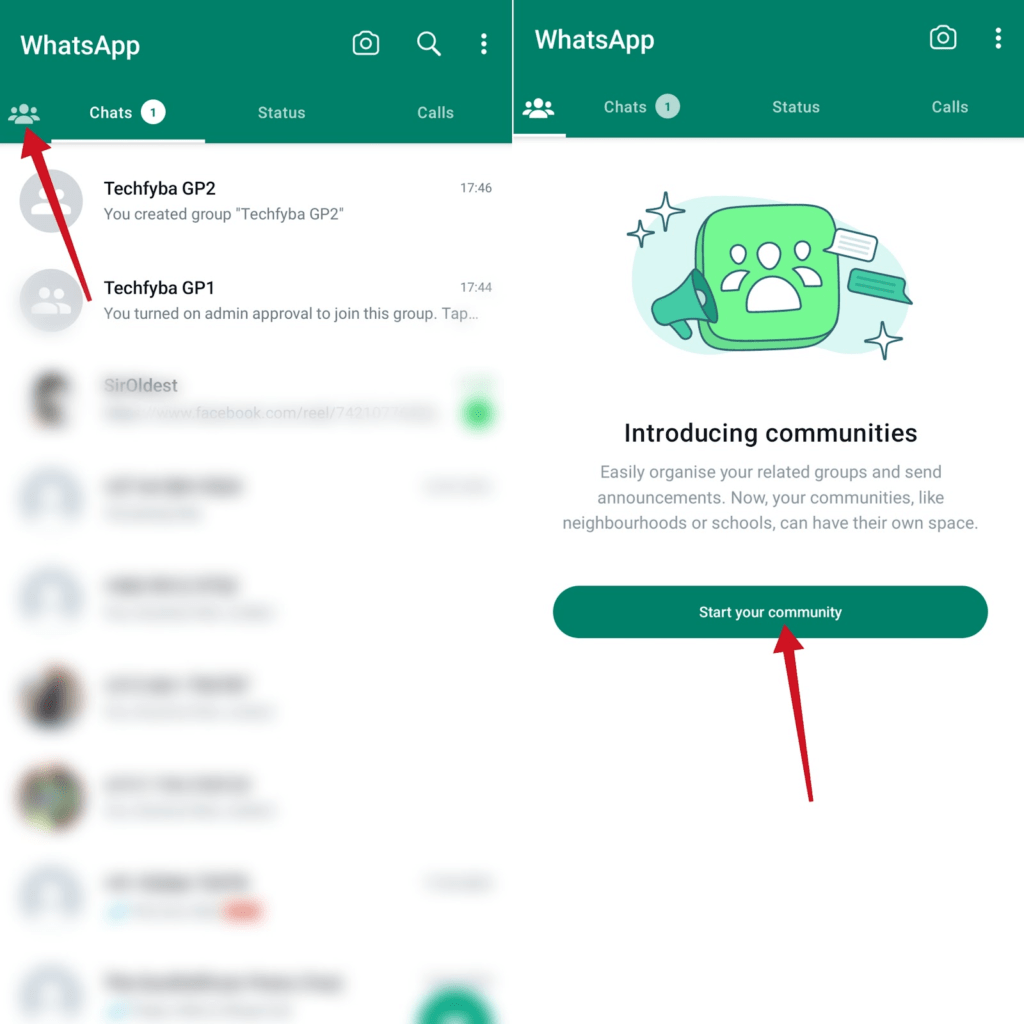
- Open the WhatsApp app on your phone. Once you’re on the chat tab, swipe right or tap the community tab. Then tap Start your Community.
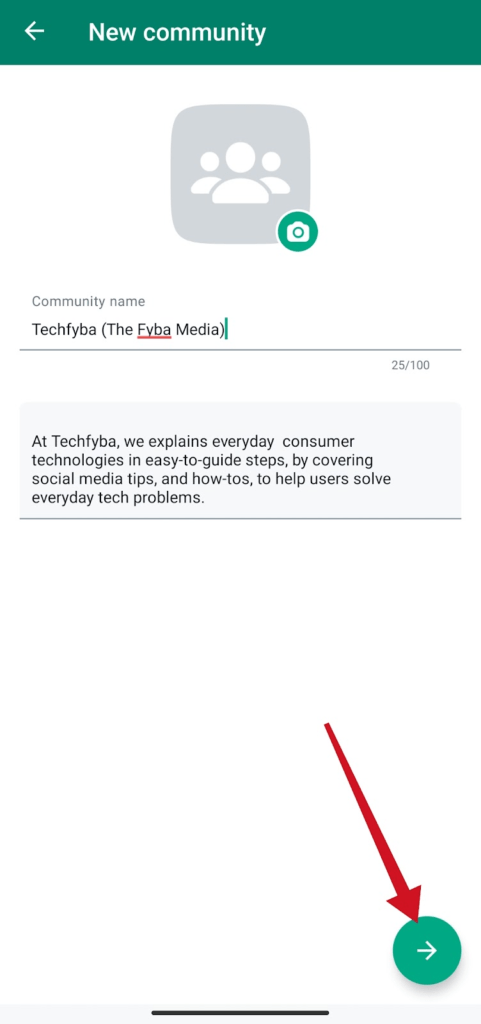
- Enter your community name, and add a description, although it’s optional, but always important to let your members know what your community is all about. Now, tap the arrow button to continue.
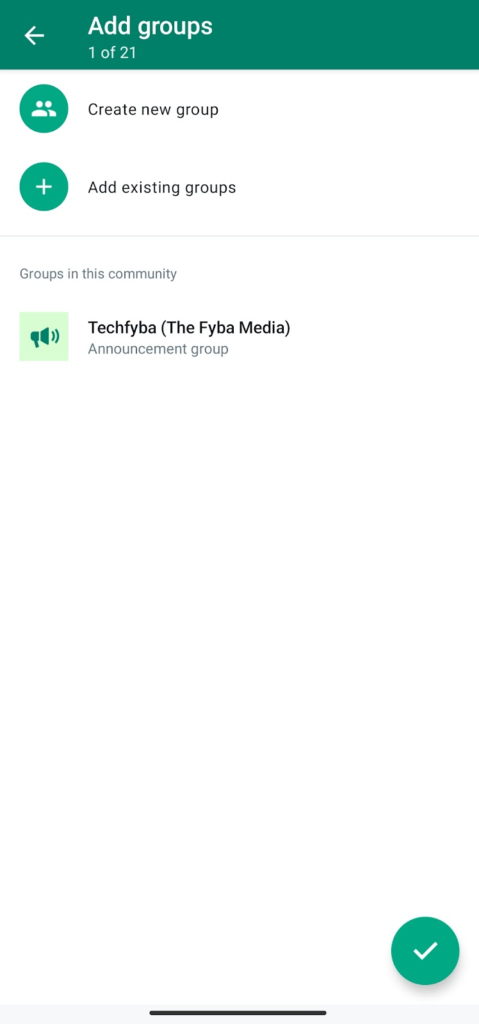
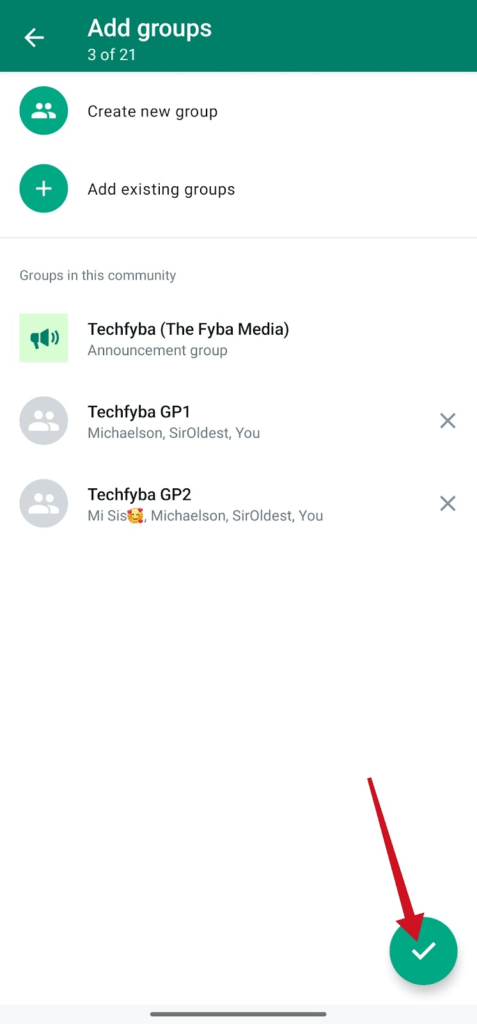
- Select add existing groups option if you already have groups. If you don’t have any group click on create new group.
- Select the group you want to add to your community. And tap the next arrow.
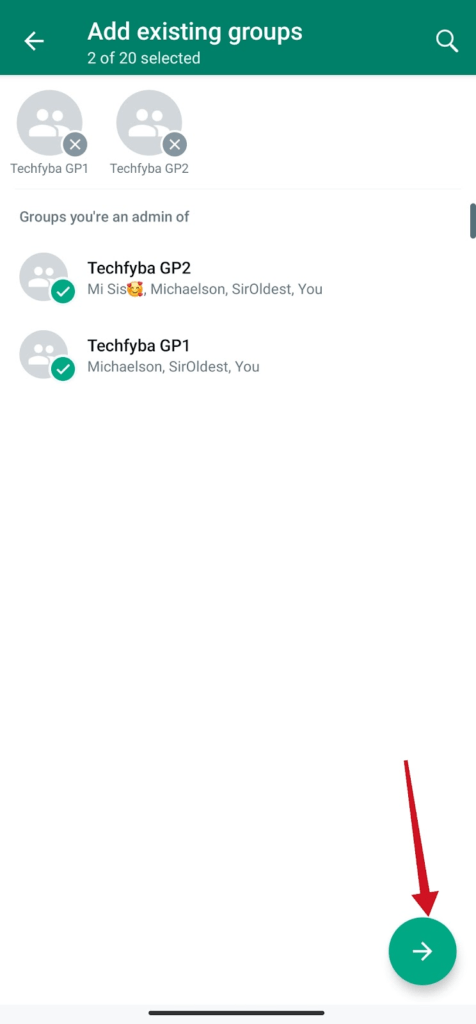
- Then, tap the button to complete community creation.
Below are messages shared on the announcement group.
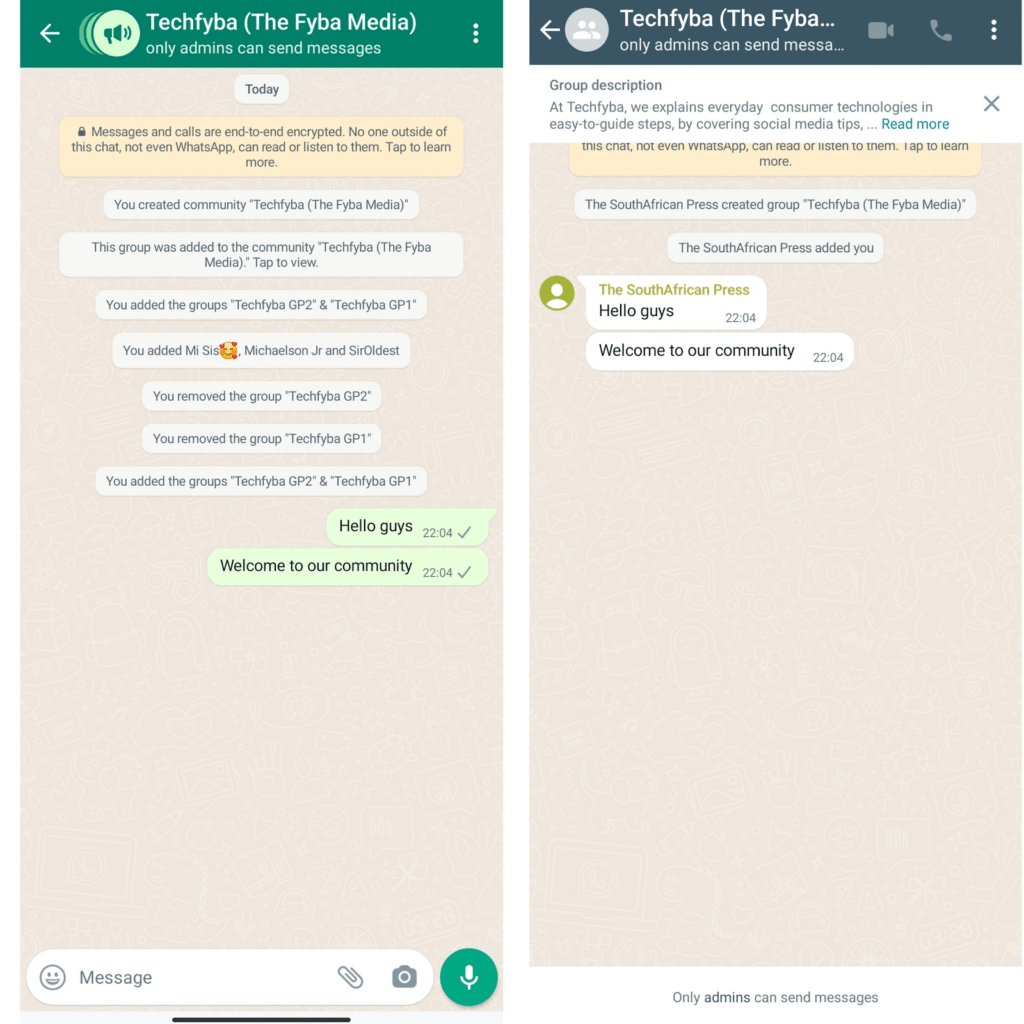
If you noticed in the above picture, you will see that only the community admin can send messages. Participants can only view messages and updates shared by the community admin.
One thing you will notice again is, messages shared from the community won’t appear in individual groups. Members of the community will see all the messages shared through the announcement group.
How To Create WhatsApp Community On IPhone
- Open WhatsApp
- Tap the Community tab. Then tap Start a Community
- Enter Community name and description name. Community name limit is 24 character.
- Description are optional. But it’s important to let your members to know what the community is for and why it was created.
- Tap the camera icon to add community profile picture. Then Tap Next
- Tap to create new group or add existing group.
- Select groups you want to add to the community.
- Tap create
How To Assign New Community Admins
- Open WhatsApp
- Tap the community tab
- Tap community name
- Tap Members
- Tao the name of the member you want to promote to admin
- Tap Make admin
- Confirm and click Ok.
Conclusion
Creating a WhatsApp community is not just all there’s to it. WhatsApp communities can do a lot more than you think with a bunch of features to explore.
We hope this article helps you discover a new way to bring people together under one umbrella and share important updates.
FURTHER READING
- What Are Locked Chats In WhatsApp? [Everything You Need Know]
- WhatsApp Communities VS Groups: Everything You Need To Know
- How To Add Or Remove Groups In WhatsApp Community
- 5 Reasons Why WhatsApp Will Ban You
- How to Stop WhatsApp Auto Download Media on Android and iOS
